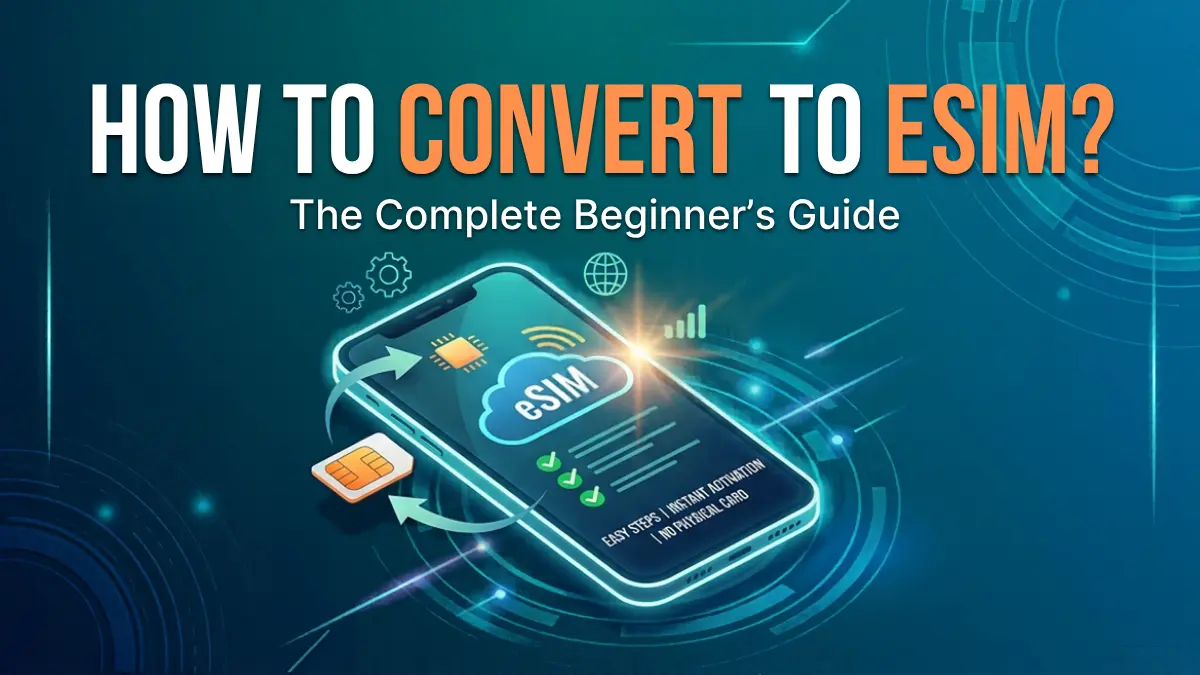
How to Convert to eSIM? [The Complete Beginner’s Guide]



Want to replace your physical SIM card with an eSIM? Whether you have a new iPhone, an Android phone, or simply want a more convenient way to manage your mobile plan, switching to eSIM can make things easier. In this guide, we'll explain how to convert to eSIM, how to change SIM to eSIM, transfer your existing number, switch between eSIMs, and even return to a physical SIM when needed.
- How to Transfer SIM to eSIM?
- How to Change eSIM on iPhone?
- Bonus Tip: How to Convert eSIM to Physical SIM?
How to Transfer SIM to eSIM?
If you're wondering how to transfer SIM to eSIM, the process depends on your phone model, operating system, and mobile carrier. Some newer devices allow you to convert a physical SIM directly from the phone's settings, while others require you to contact your carrier or scan a new eSIM QR code.
On iPhone
1. Open Settings on your iPhone
2. Tap Cellular or Mobile Service
3. Select your physical SIM/mobile plan
4. Look for Convert to eSIM
5. Tap Convert to eSIM and follow the on-screen instructions.
6. Wait for the eSIM activation to finish
7. Once the eSIM works, your physical SIM may be deactivated.
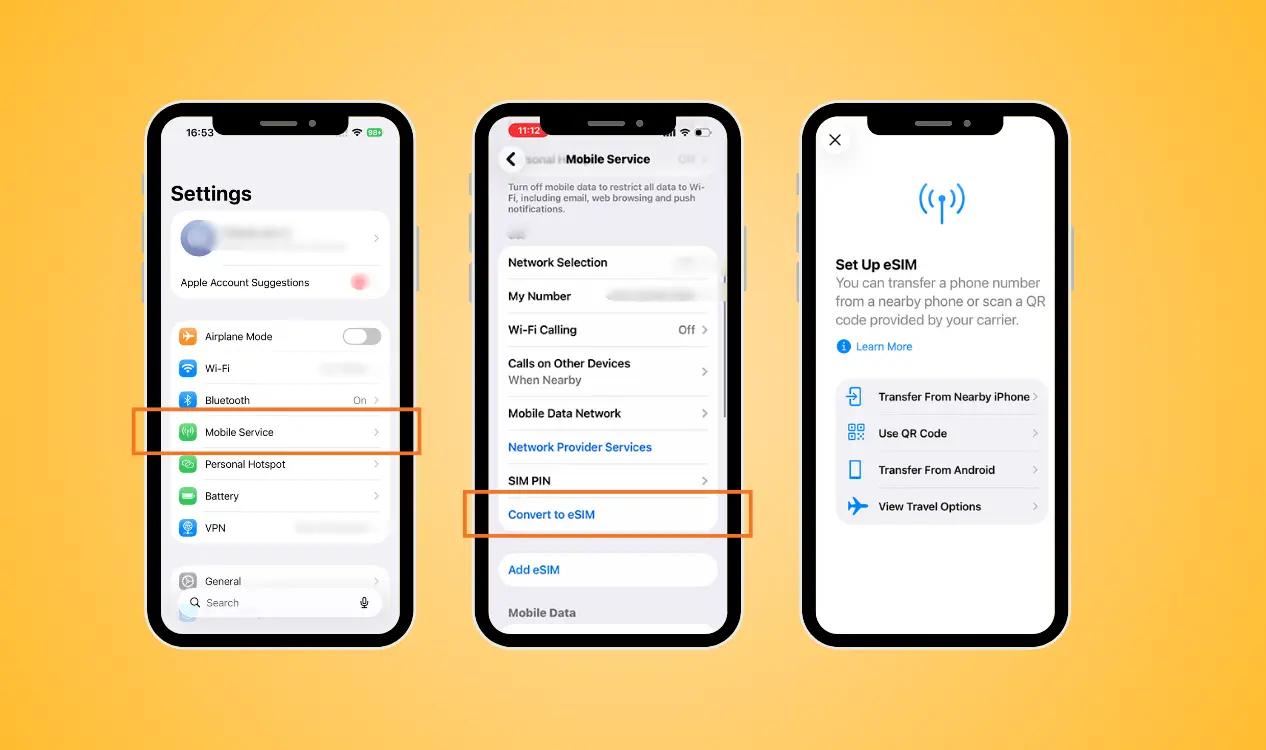
If you don't see the option, your carrier may not support direct conversion. In this situation, contact your carrier and request an eSIM activation or QR code.
For a new iPhone, you may also be able to use eSIM Quick Transfer during setup. This is particularly useful if you're looking for how to transfer physical SIM to eSIM on new iPhone without changing your phone number.
On Android
The steps for convert SIM to eSIM Android phones can vary depending on the manufacturer. Samsung Galaxy devices with eSIM support may provide an option to convert or transfer a mobile plan, but availability depends on the model and carrier.
For a supported Samsung Galaxy phone, try these steps:
1. Open Settings
2. Tap Connections
3. Select SIM manager
4. Choose your physical SIM
5. Look for Convert to eSIM if the option is available
6. Follow the instructions shown on the screen
7. Wait for the eSIM to activate

If your Android phone doesn't provide a conversion option, your carrier may need to issue a new eSIM. You may receive a QR code that you can scan through the phone's SIM or mobile network settings.
So, how do I transfer my SIM to eSIM on Android? The short answer is: check whether your phone and carrier support direct conversion first. If not, request an eSIM from your carrier. To be reminded, not every Android phone supports eSIM, and eSIM features can differ between countries, models, and carriers. Always check compatibility before removing your physical SIM.
How to Change eSIM on iPhone?
To know how to change eSIM on iPhone, you may simply switch between existing cellular plans. However, if you want to completely replace an old eSIM with a new one, you should remove the old cellular plan and then add the new eSIM.
Remove Your Old eSIM
1. Open Settings
2. Tap Cellular or Mobile Service
3. Select the eSIM you want to remove
4. Tap Delete eSIM or Delete Cellular Plan
5. Confirm the removal
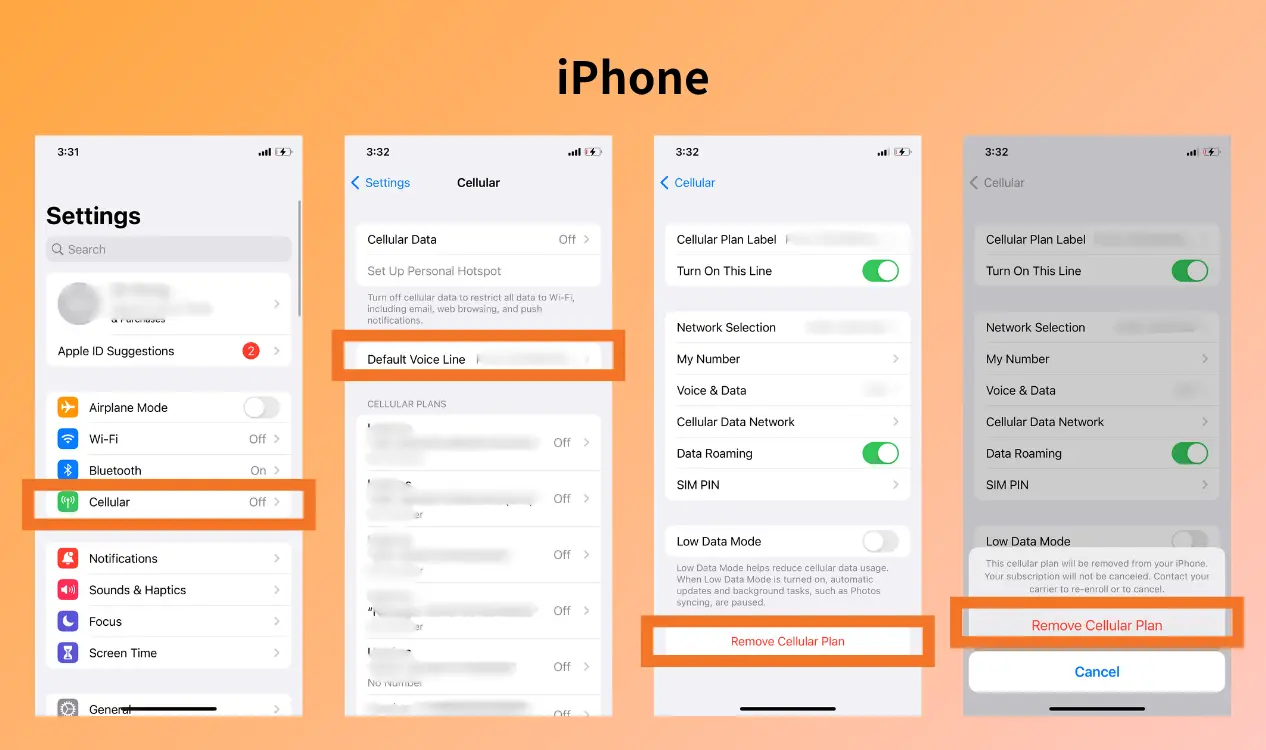
However, remember that deleting an eSIM from your iPhone does not necessarily cancel your carrier account or mobile subscription. If you want to use the same number again, you may need to ask your carrier for a replacement eSIM.
Add Your New eSIM
To switch to eSIM using a QR code:
1. Go to Settings
2. Tap Cellular or Mobile Service
3. Tap Add eSIM
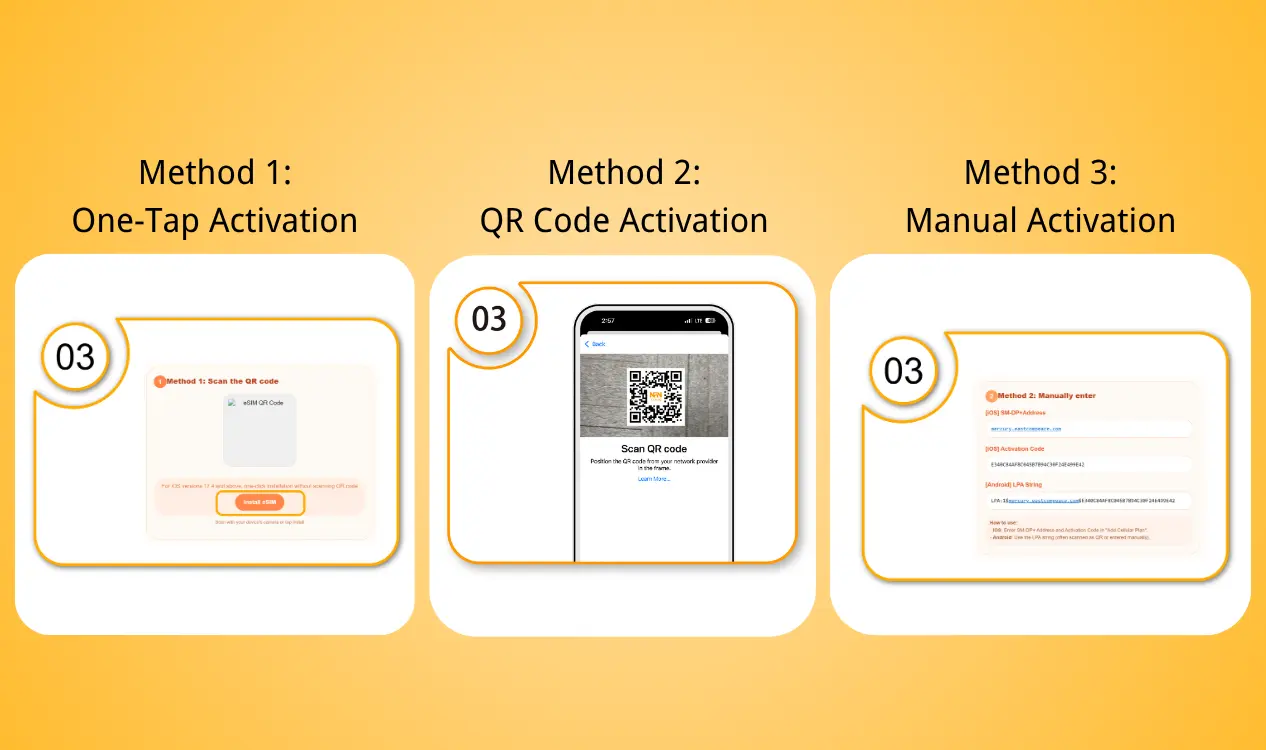
4. Select Use QR Code
5. Scan the QR code provided by your carrier or eSIM provider
6. Follow the on-screen activation instructions
7. Wait until the new eSIM connects to the network
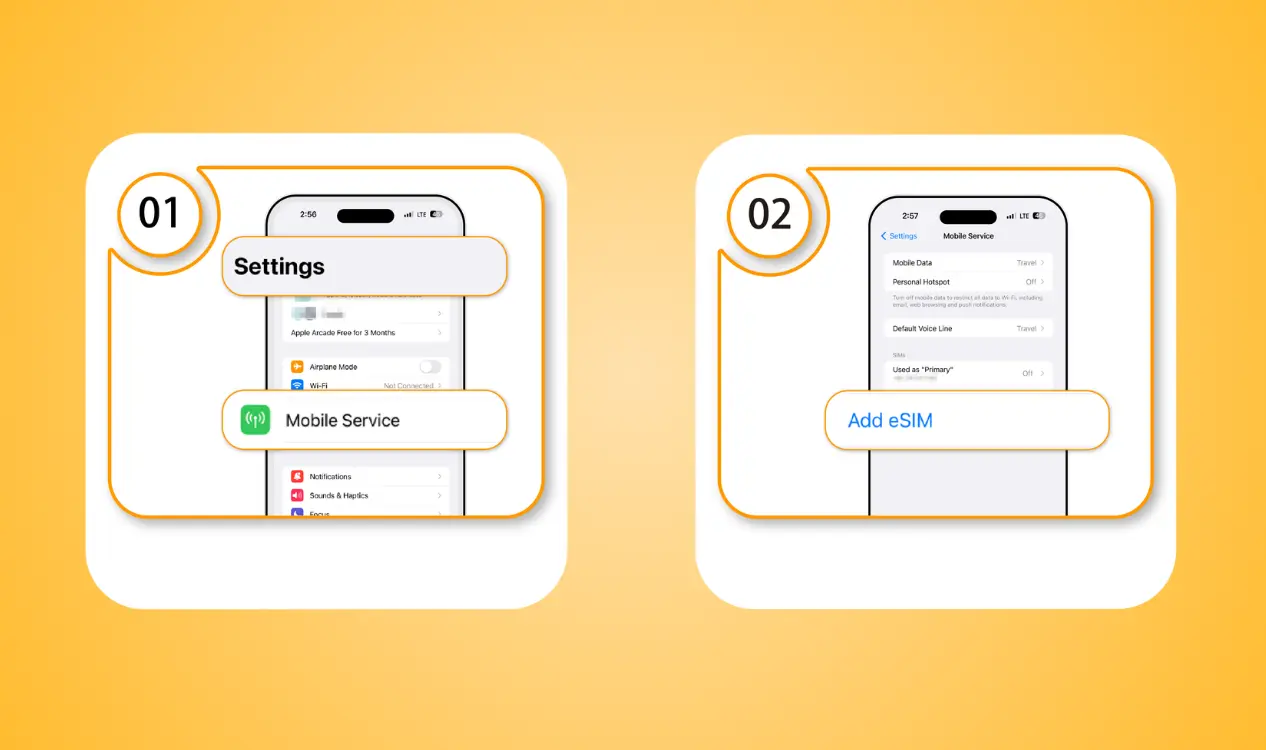
You can also use your carrier's app if it provides an eSIM installation option. This is another common answer to how to switch from SIM to eSIM when your carrier does not provide a direct "Convert to eSIM" option.
Bonus Tip: How to Convert eSIM to Physical SIM?
You may be wondering, can I switch back to physical SIM after eSIM? In many cases, yes. However, you generally cannot convert an eSIM into a physical SIM directly through your phone. Instead, your mobile carrier needs to issue a physical SIM for your mobile number.
If you want to switch from eSIM to physical SIM, follow these general steps:
1. Contact your mobile carrier
2. Tell them you want to replace your eSIM with a physical SIM
3. Complete any required identity verification
4. Request a replacement physical SIM
5. Insert the new physical SIM into your phone
6. Follow the carrier's activation instructions
7. Test calls, text messages, and mobile data
8. Remove the old eSIM from your phone if it is no longer needed
This can be useful if:
- Your new phone doesn't support eSIM
- You want to move your number to an older phone
- Your phone has eSIM connectivity problems
- You prefer using a removable SIM card
- You need to use your SIM in another compatible device
Conclusion
Now you know how to convert to eSIM, how to transfer SIM to eSIM, and how to change SIM to eSIM on supported iPhone and Android devices. You can transfer physical SIM to eSIM directly if your carrier supports the feature, or request a new eSIM QR code if direct conversion isn't available. If you later need to switch from eSIM to physical SIM, your carrier can usually issue a replacement physical SIM.
For travelers, switching to an eSIM can also make getting mobile data much easier. With NPN Travel, you can purchase a travel eSIM online before your trip, install it on your compatible phone, and stay connected without waiting for a physical SIM card.