Official Guide:APN Settings for Android Phones Explained



APN settings in Android help your phone connect to your carrier’s mobile data network. When using a SIM or eSIM, the correct APN settings are important for accessing mobile data. In this guide, we’ll explain where to find Android APN settings and how to set them up.
Where are Android APN Settings?
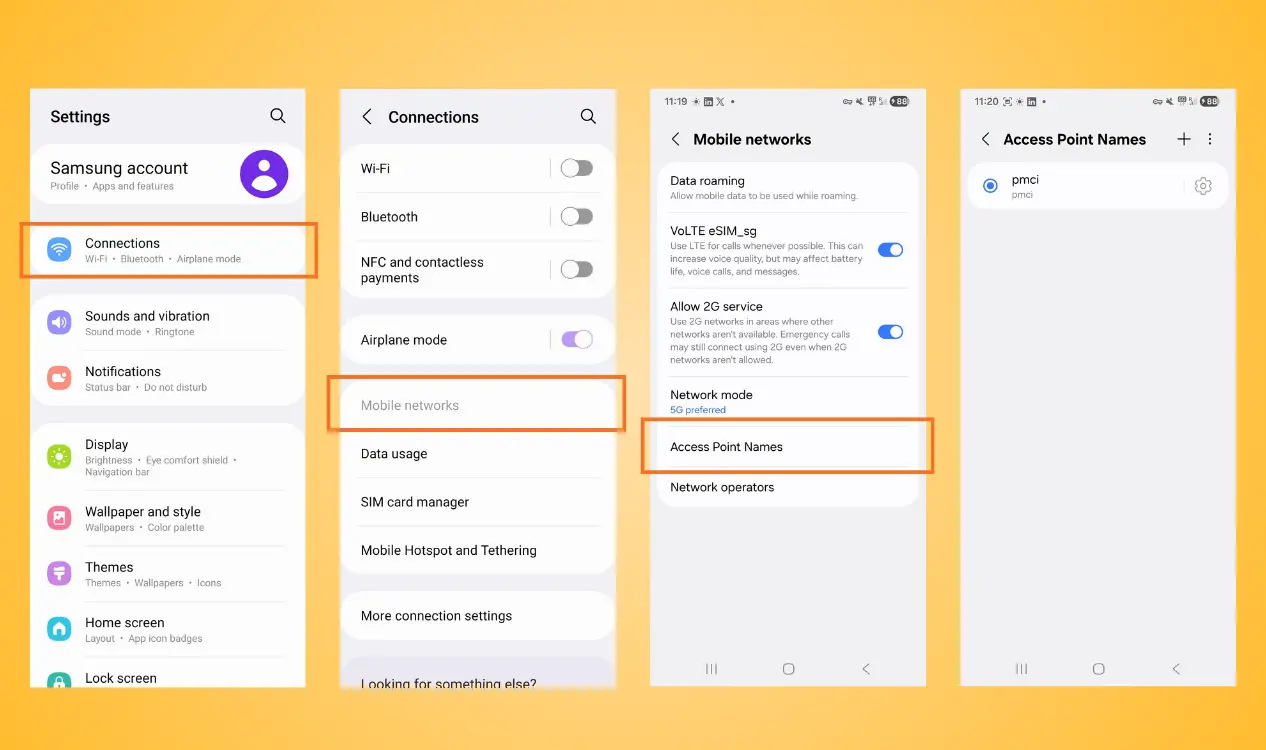
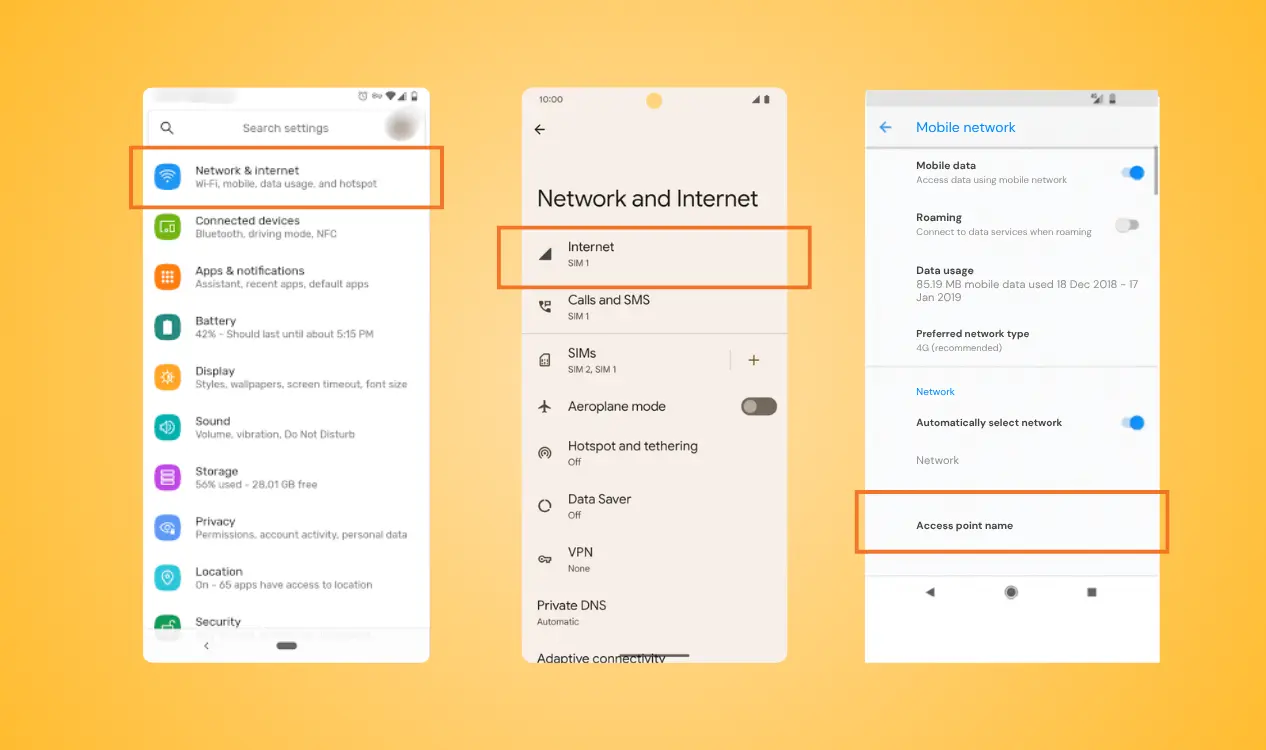
The location of APN settings for Android phones can vary slightly depending on your Android phone model, Android version, and mobile carrier. However, you can usually find them under mobile networks or connections in your phone’s settings. Here use Samsung and Google pixel as the examples:
Access Point Name settings Samsung:
- Step 1: Open Settings → Tap connections
- Step 2: Select Mobile Networks
- Step 3: Tap Access Point Names
You will then see the APN setup Android currently being used by your SIM or eSIM.
On Google Pixel, the path is slightly different:
- Step 1: Open Settings → Network & Internet
- Step 2: Select SIMs
- Step 3: Choose the SIM or eSIM you want to configure
- Step 4: Look for Access Point Names or the relevant mobile network settings
How to Setup APN on Android?
If your Android phone does not automatically receive the correct APN setting, you may need to enter them manually.
Using a Samsung Galaxy phone as the demonstration of Android APN configuration.
- Step 1: Follow the previous steps to open the Access Point Name
- Step 2: Tap Add or the “+” icon in the top-right corner
- Step 3: Enter the APN Information provided by your carrier or eSIM provider
- Step 4: Save the Android APN settings

If your phone still cannot access the internet, check that:
- The correct SIM/eSIM is selected for mobile data
- Mobile data is turned on
- Airplane mode is turned off
- The APN information is correct
- Your eSIM plan is active and has available data
- You are connected to a supported local network
Final Thought
Knowing how to find and manage APN settings for Android phones can help you troubleshoot mobile data connection issues when using a SIM or eSIM. While Android APN settings may vary by device, carrier, and network, most Android users can find them under their mobile network settings.
Ready to stay connected on your next trip? Choose an NPN Travel eSIM and get online with less hassle!