What Is a Carrier Lock? How to Do an Instant iPhone Carrier Check



Nowadays, many people purchase their phones through carrier contracts, promotional plans, or installment programs to get a discount. In these cases, the device may be restricted to using only the SIM card or eSIM from a specific carrier. Even if your phone model supports eSIM, a carrier lock may prevent you from using data networks from other providers.
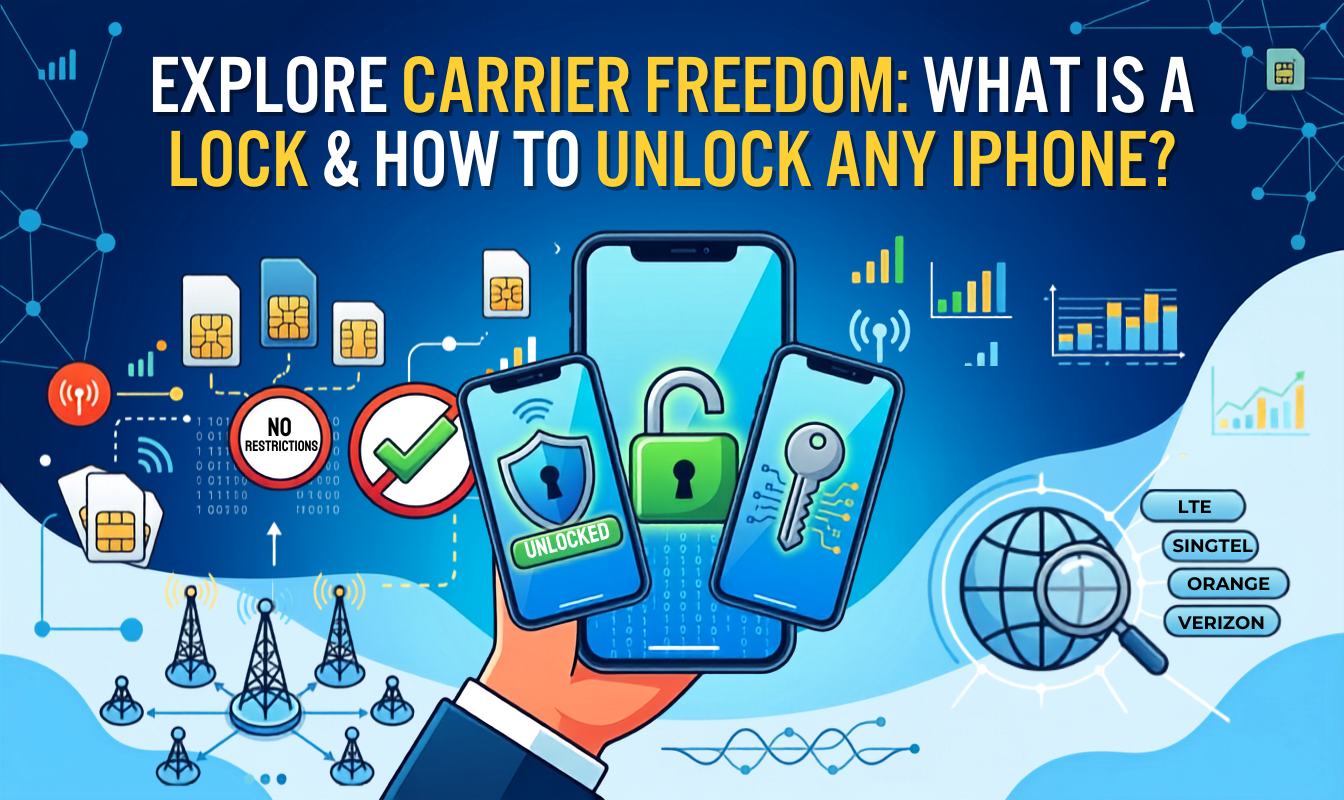
In this guide, we'll explain what does carrier locked mean and how to check if iPhone is carrier locked.
- What Does Carrier Locked Mean?
- How to Check if iPhone is Carrier Locked?
- How to Know What Carrier Your iPhone is Locked to?
- What Does Carrier Lock No Sim Restrictions Mean?
What Does Carrier Locked Mean?
A carrier lock means a restriction placed on a phone by a mobile carrier. It is also known as a network lock or SIM lock.
It commonly applies to contract phones or devices sold at discounted prices. In exchange for offering the phone at a lower cost, the carrier requires users to stay on its network for a certain period, helping reduce customer churn and protect its investment.
If your phone is carrier locked, you may not be able to:
❌ Use SIM cards from other carriers
❌ Install certain third-party eSIMs
❌ Use travel eSIMs while abroad
To simplify, carrier locked phones only allow the use of the SIM card or eSIM service provided by the original carrier.
How to Check if iPhone is Carrier Locked?
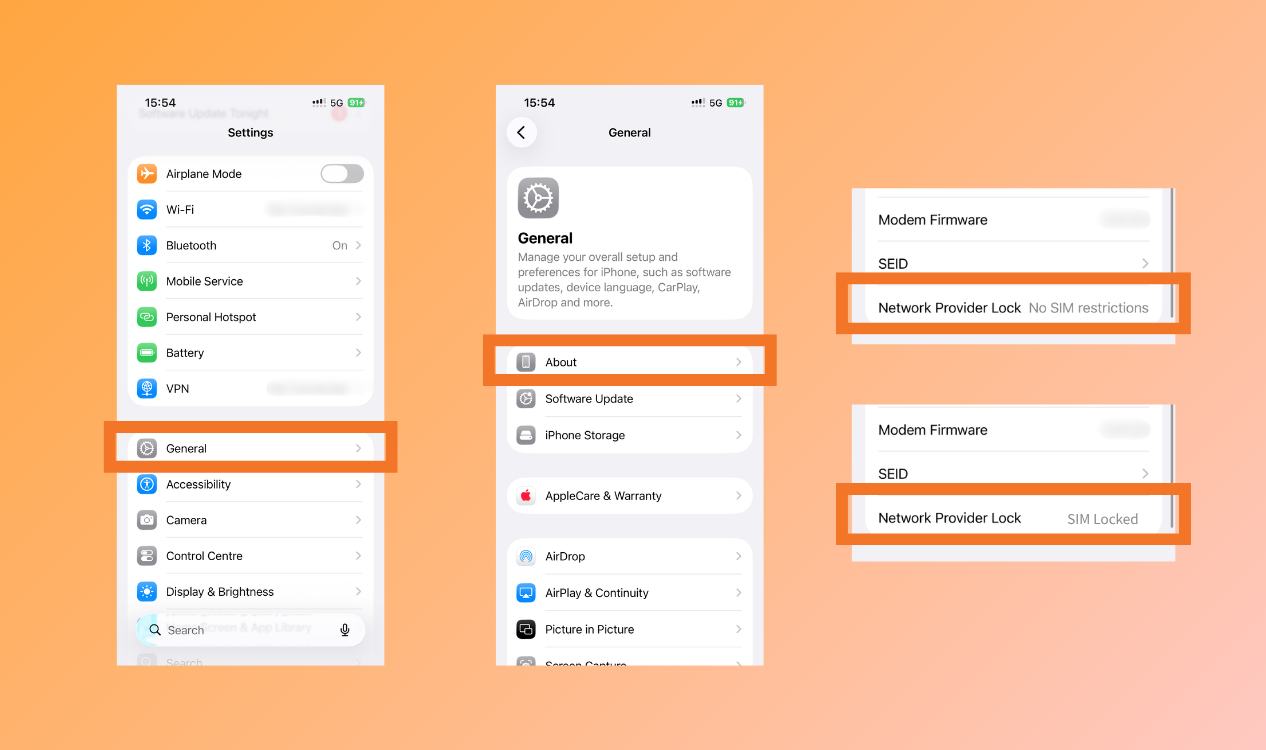
Buying a travel eSIM or SIM card only to realize it doesn't work can be a real headache. If you are concerned about whether your iPhone is carrying out a restriction, you can do the carrier lock check through this step:
Step 1: Open "Settings" and Tap "General"
Step 2: Select "About".
Step 3: Scroll down to "Carrier Lock".
Step 4: Check the status:
- If it shows carrier lock No SIM Restrictions, your iPhone is unlocked and can use SIM cards and eSIMs from any carrier.
- If it shows "SIM Locked" or displays a specific carrier name, it indicates carrier lock iPhone.
How to Know What Carrier Your iPhone is Locked to?
Phone companies are usually locked for retaining long-term customers. Carrier locked phones are restricted from using other carrier’s servers but only by the original company. If you get a carrier lock iPhone, contacting the carrier to unlock it is necessary. However, you cannot find the network name directly under the lock status.
Follow the several steps for iPhone carrier check: Go to Settings > General > About.
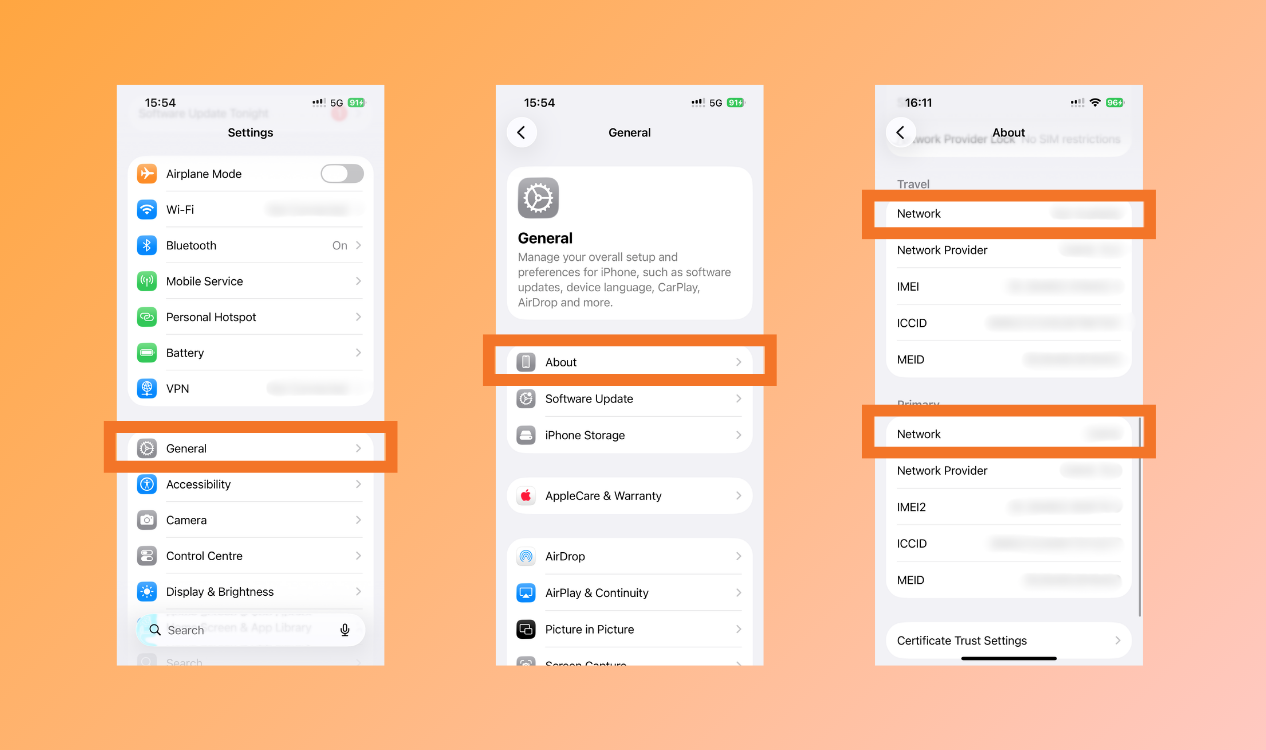
Look next to Network or Carrier. It will display the network carrier of the current activating SIM attached to the phone.
What Does Carrier Lock No Sim Restrictions Mean?
An opposite from SIM locked, carrier lock no sim restrictions means there are no stints used on your devices. A fully unlocked phone have several benefits:
- Use Any Carrier: You can purchase a physical SIM or an eSIM from any data provider.
- Instant switching: Carrier lock no sim restrictions allow users to swap providers for a better and quicker connection.
- Higher resale value: Without carrier locked phones are generally easier to sell and command a higher resale price than carrier locked devices.
Conclusion
Before purchasing a travel eSIM or SIM card, doing a quick iPhone carrier check can save you from unexpected connectivity issues. If your device carries carrier lock, contact your mobile provider to request an unlock to enjoy the complete freedom of connection, with NPN Travel eSIM.