

Can You Use WhatsApp Without a Phone Number?2026 Guide



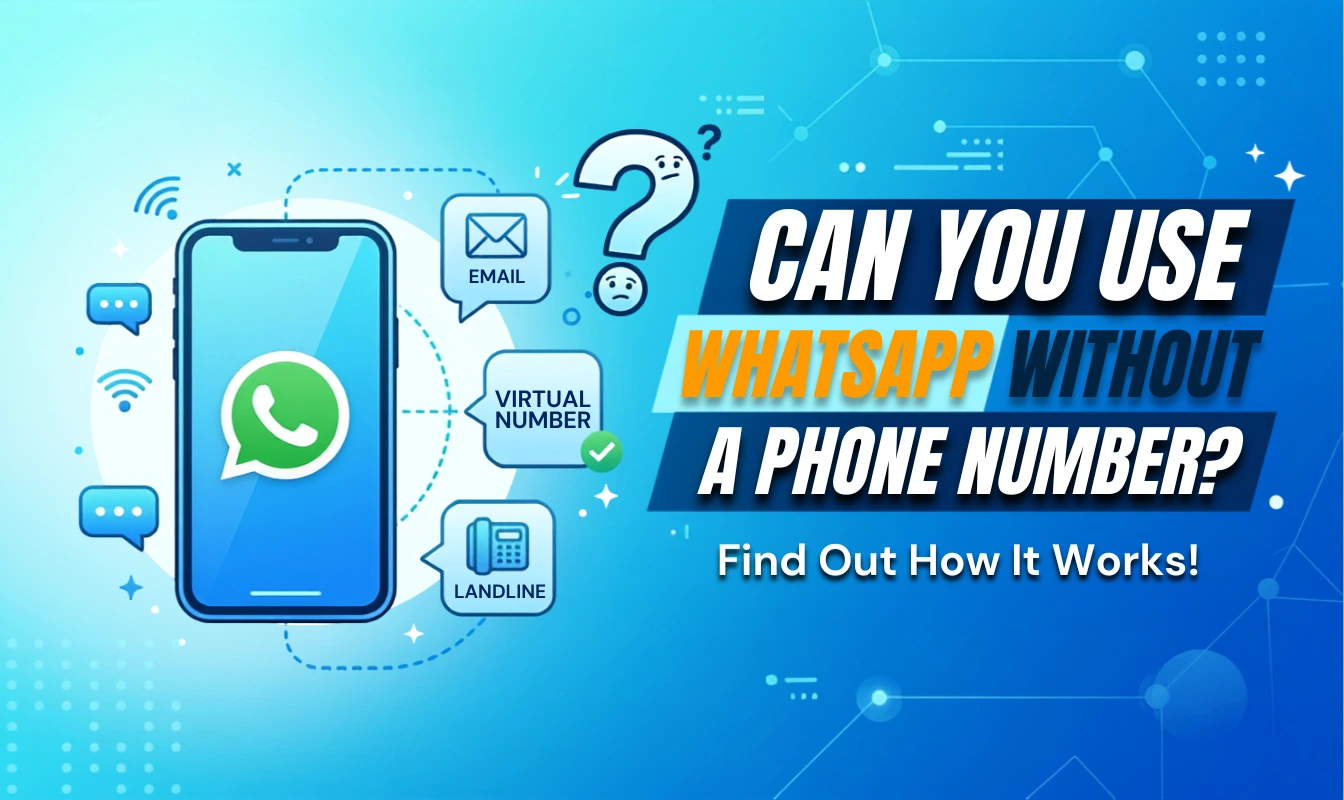
WhatsApp is one of the most popular messaging apps for staying connected with friends, family and businesses around the world. However, you may wonder if you can use WhatsApp without phone number? There may be several situations where you want to stay security or manage multiple accounts. This guide will consider when and how to use WhatsApp without a phone number.
- Why Use WhatsApp No Phone Number?
- Can You Use WhatsApp Without Phone Number?
- FAQs About WhatsApp With No Phone Number
Why Use WhatsApp No Phone Number?
As WhatsApp is usually linked to a personal phone number, some users may not want to disclose their number in certain cases. Here are a few scenarios in which users might want to use WhatsApp without number.
- ⭐Protect Personal Information: Using a separate number for WhatsApp can help protect your personal information and reduce the need to share your primary phone number with strangers, online contacts, or people you may not know well.
- ⭐Data SIM Card Restrictions for Travelers: Travelers may use a data-only SIM card or eSIM that does not provide a phone number. In this case, they may want to use WhatsApp without a number for messaging and calls without obtaining a local phone number.
- ⭐Avoid SIM swap Attacks: If your SIM card is cloned or your phone number is transferred to another SIM without your permission, attackers may try to use it to access accounts linked to your number. Therefore, using WhatsApp with no phone number is a good way to avoid being hacked.
- ⭐Using Secondary Device: If you want to use WhatsApp on a tablet, secondary phone, or another device, you may prefer not to purchase another mobile plan just for that device.
Can You Use WhatsApp Without Phone Number?
The short answer is that WhatsApp generally requires a phone number to register and verify an account, but you don’t necessarily need a traditional mobile SIM card in the device. Here are some possibilities that how to use WhatsApp without number:
Using a Virtual Number
As WhatsApp need a phone number, you can register WhatsApp with a virtual phone number. However, some temporary or VoIP numbers may not work with WhatsApp, so choose a reliable number that you can continue to access. So that you can operate how to create a WhatsApp account without phone number.
Using on a Linked Device
If you already have a WhatsApp account, you can use it on another device through Linked Devices without putting your SIM card in that device. Simply link your computer, tablet, or another supported device to your existing WhatsApp account. Keep in mind that there is no doubt does WhatsApp need a phone number to create and verify the account.
Adding New Friend to WhatsApp without number
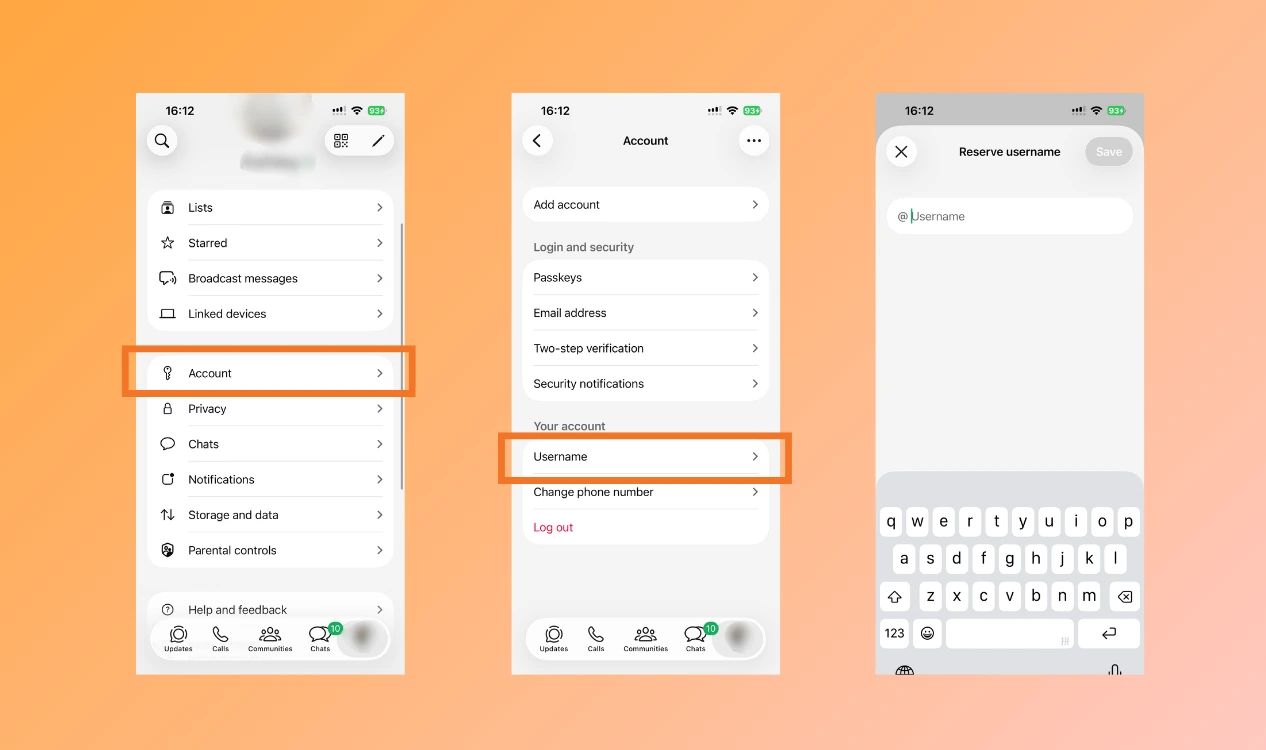
If WhatsApp supports usernames on your account, you may be able to connect with someone using their username instead of sharing their phone number. That’s how to give someone your WhatsApp without number.
Steps to create a username on WhatsApp:
- Step 1: Open WhatsApp → Profile → Account
- Step 2: Look for Username
- Step 3: Create your preferred username and save it
FAQs About WhatsApp With No Phone Number
Here are some frequently asked questions from users about WhatsApp who don't want a phone number:
1.Do You Have to Have a Phone Number for WhatsApp?
You can use WhatsApp without number. But it is a must for create and verify the account.
2.How to Add Someone on WhatsApp Without a Phone Number?
You can add someone on WhatsApp using their username if they have set one up. So adding new friends is required to WhatsApp without number.
Conclusion
While you still need a phone number to create and verify a WhatsApp account, you may not need to use your personal number or a SIM card on every device. If you want to use WhatsApp no phone number for travel, privacy, or a secondary device, choose the method that best fits your needs. Instead, NPN Travel eSIM can help you stay connected abroad without needing to withdraw your regular number.


