How to Remove eSIM from iPhone/Android: Quick & Easy Steps



You may sometimes be going to delete eSIM from phones as release space for new eSIM or other reasons. You may be concerned about what happens if I delete eSIM. I would like to demonstrate how to remove eSIM from iPhone and android. In addition, how to reset eSIM if necessary.
- What Happens If I Delete eSIM?
- Do I Delete eSIM on Old Phone?
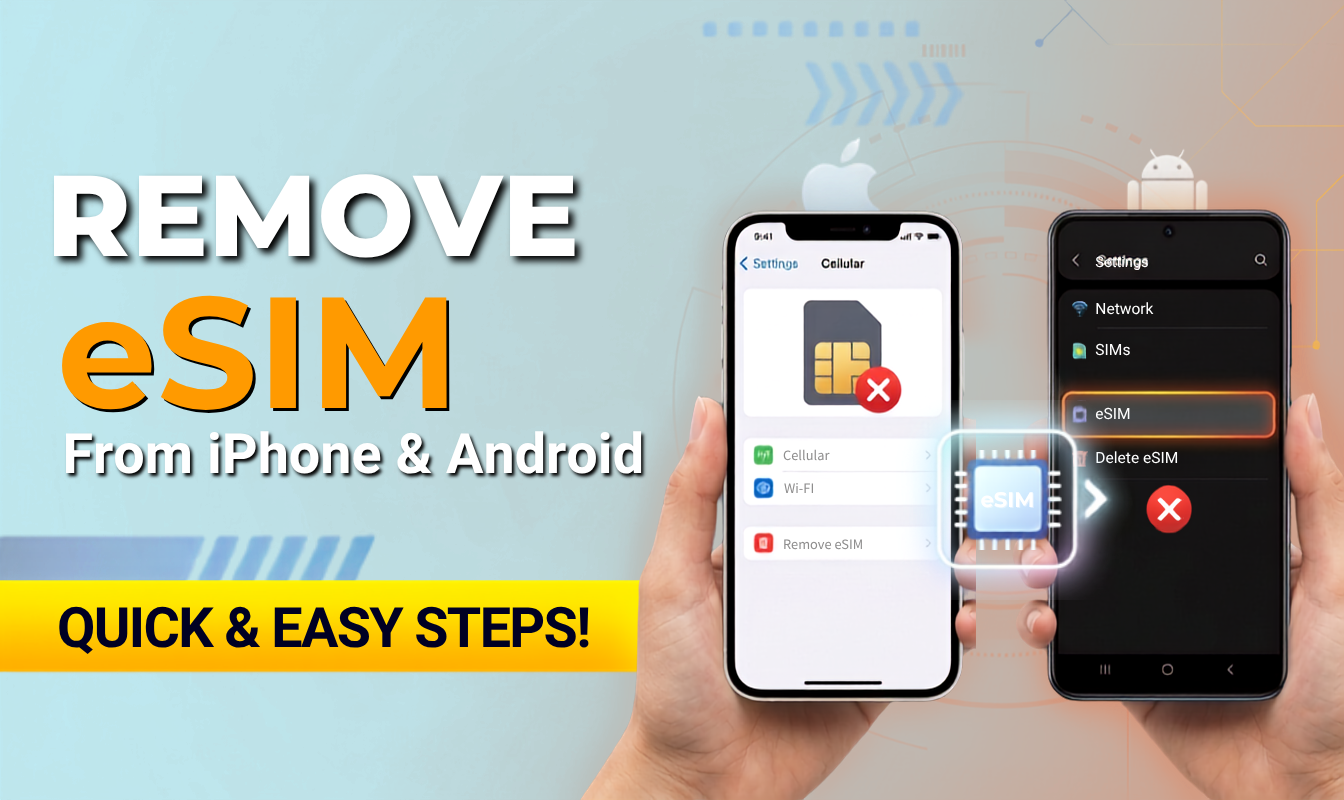
- How to Delete eSIM from iPhone?
- How to Delete eSIM on Android?
- FAQ about Deleting eSIM
What Happens If I Delete eSIM?
When you erase eSIM data plan on your phone, it means that the eSIM profile stored on your device will be removed. After deleting eSIM:
- Your phone will no longer be able to use any functions associated with that eSIM, including mobile data, calls, and MSN.
- Stored settings may be reset, and you may need to configure them again after reinstalling the eSIM.
To be reminded, remove eSIM from iPhone does not cancel your mobile service and our plan will remain active. If you are on a monthly subscription, billing will continue as usual. If you wish to cancel the service, you must contact your network carrier through its official channels to terminate your account.
Do I Delete eSIM on Old Phone?
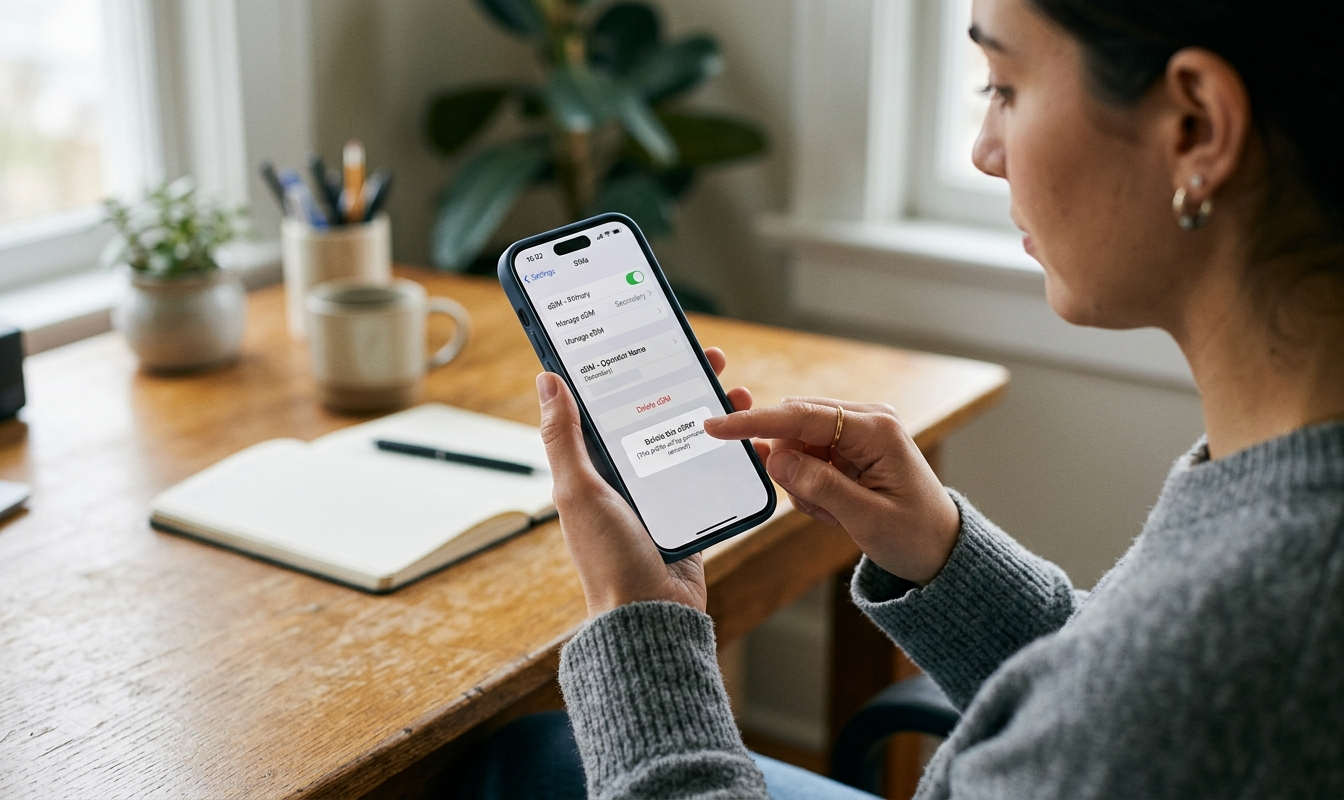
Quick answer, is a YES to delete if you will not use the eSIM anymore. As knowing what happens if I delete my eSIM, you can decide to keep eSIM and delete eSIM in several situation:
- Your data plan has expired or is no longer needed.
- You will no longer use the device.
- Customer support has specifically instructed you to delete it.
If you are experiencing network issues, you can try turning on Airplane Mode for 10 seconds before turning it off again, or simply restart your phone, instead of remove eSIM.
How to Delete eSIM from iPhone?
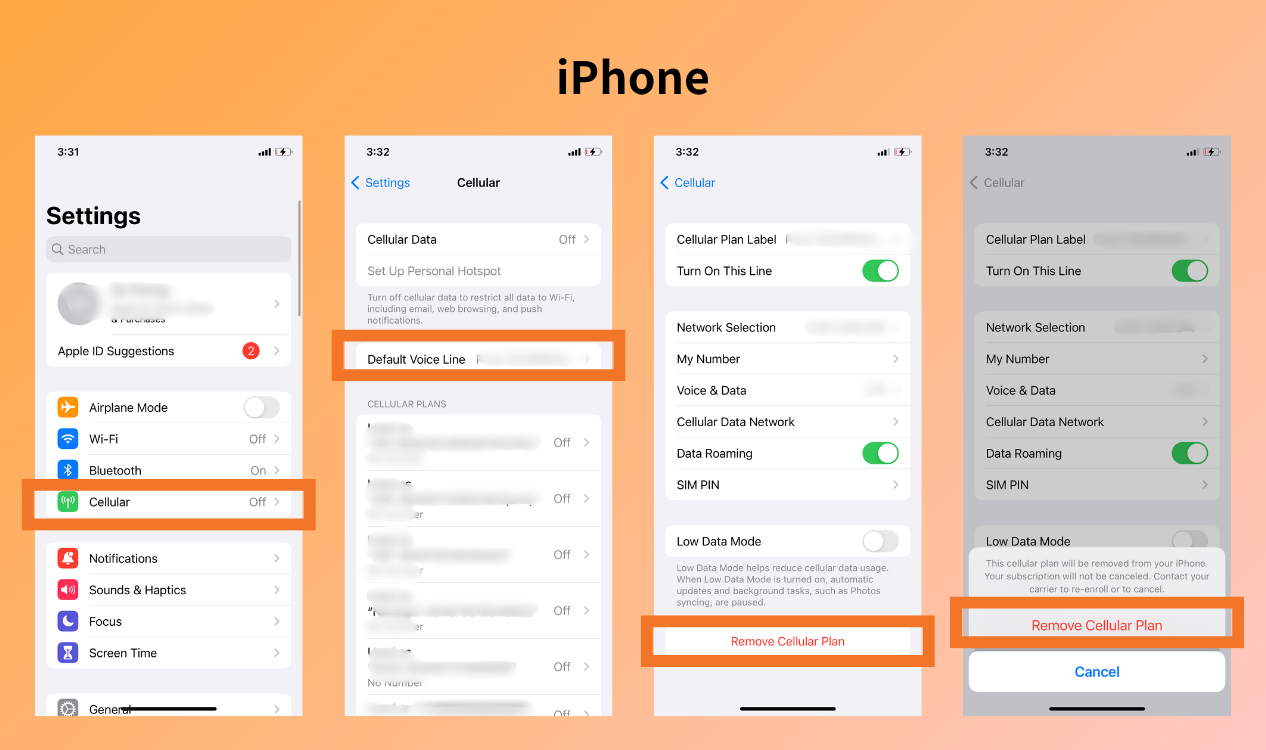
If you sure no longer need the eSIM on your iPhone, simple steps to know how to reset eSIM on iPhone:
- Open Settings and select Cellular
- Select the eSIM you want to remove
- Tap Remove Cellular Plan
- Confirm the deletion
Follow the four steps above to successfully remove esim from iPhone.
How to Delete eSIM on Android?
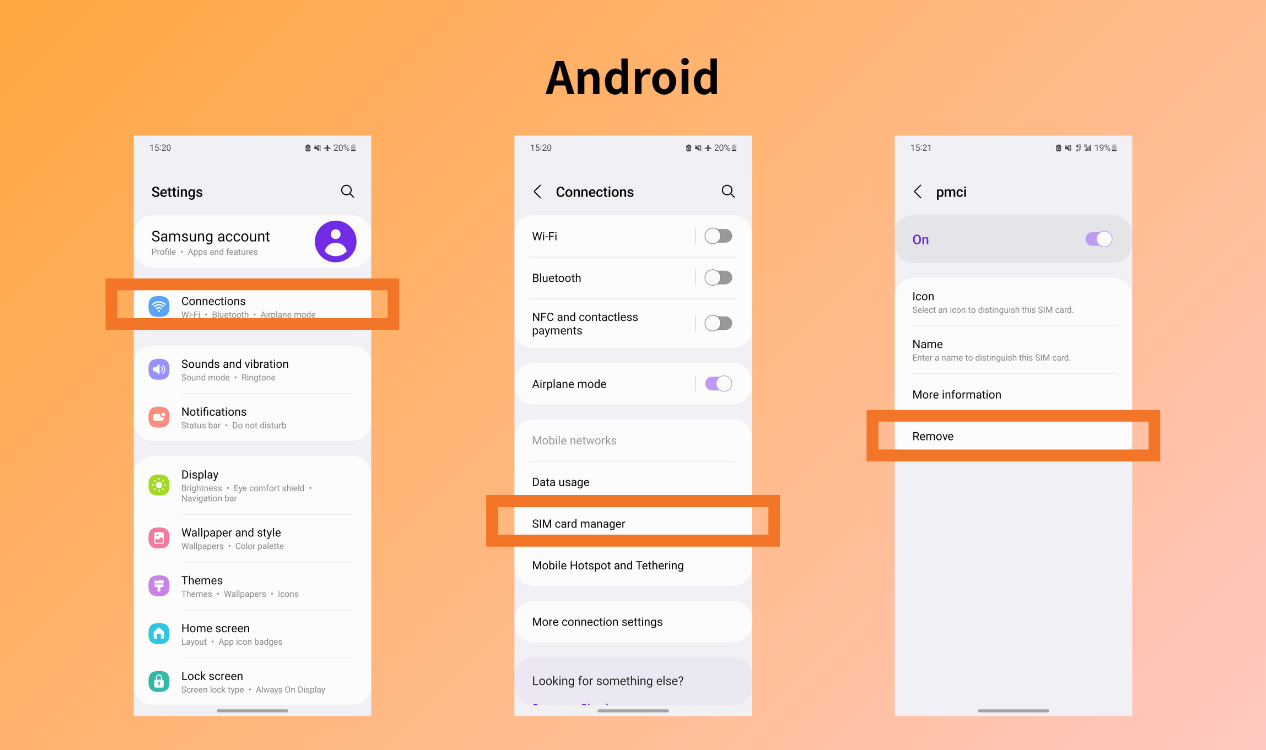
Similar steps on Android, you can usually remove it directly from your SIM or Mobile Network settings. The exact steps may vary depending on the phone brand and version. I will show how to delete eSIM on Samsung as an example:
- Open Settings → Tap Connections
- Select SIM card manager
- Select the eSIM and delete eSIM
FAQ about Deleting eSIM
Do you delete eSIM when trading in iPhone?
Yes. Same as a physical SIM card, remove eSIM and reset all settings are necessary as your phone has to be cleared when trading. Keep eSIM and delete eSIM depends on will eSIM be used in that phone anymore.
Do I need to delete eSIM when switching phone?
Same as the first question, you have to delete eSIM iPhone and Android phone when you sell, switch or trade in your phone. If you want to transfer the eSIM to a new phone, contact your network carrier to do that.
Why can’t I delete an eSIM from my phone?
Some Android phones may not allow you to erase eSIM which is being used. Try to switch off and restart your phone. Instead, make sure your phone is in the updated version. If the issue still occurs, contact your carrier to check for any restrictions or service outages.
Conclusion
Learn when to delete eSIM and how to remove eSIM from iPhone/Android from this guide. It is usually a simple process, but make sure the eSIM is no longer needed. Check your eSIM compatibility and try NPN Travel eSIM to keep your connection during travels and business trips. It also allows reinstallation if you accidentally deleting eSIM. Keep a reliable backup with you throughout your journey.