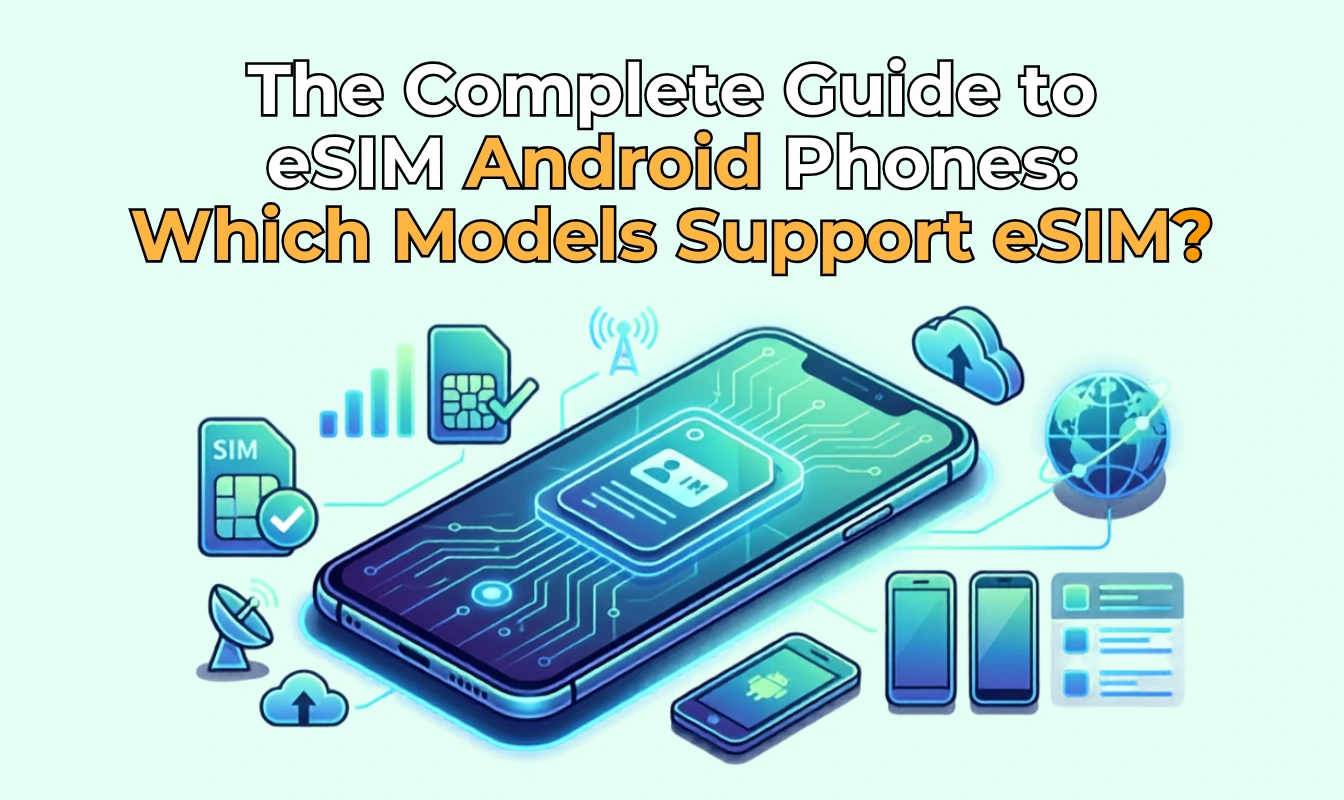
The Complete Guide to eSIM Android Phones: Which Models Support eSIM?



eSIM technology is no longer limited to iPhones. There are many Android phone with eSIM, allowing users to connect to a mobile network without inserting a physical SIM card.
However, you may wonder, is my Android phone eSIM compatible? Similar to iPhone, eSIM compatibility depends on the model, region and carrier. In this guide, we'll explain how to check whether your Android phone supports eSIM, provide eSIM Android phones list via different brands, and show you how to use eSIM on Android.
- Is My Android Phone eSIM Compatible?
- Samsung eSIM Phone List
- Xiaomi eSIM Phone List
- Vivo eSIM Phone List
- How to Use eSIM on Android?
- How to Buy eSIM for Android Phone?
Is My Android Phone eSIM Compatible?
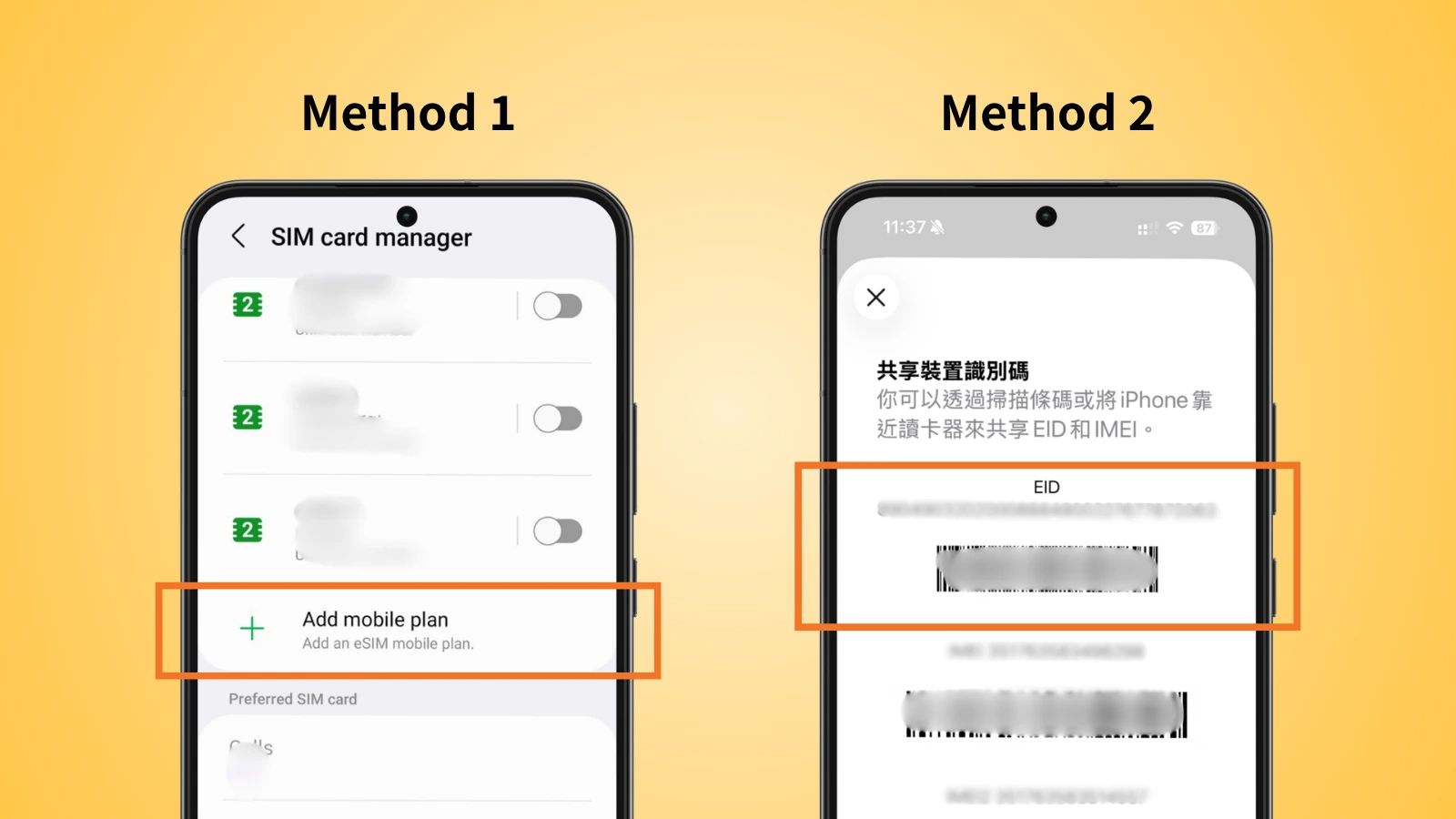
To be honest, not all Android phones with eSIM service. You can quickly check your phone’s eSIM compatibility through settings or EID code. Below using Samsung as a demonstration.
Method 1: Check in phone’s setting
- Step 1 - Open Settings
- Step 2 - Tap Connection → SIM Manager
- Step 3 - If you see the option of Add eSIM, your phone should be eSIM compatible Android phones
(The wording may differ between phone models, but mostly contain the word "eSIM".)
Method 2: Check your EID
- Step 1 - Open the "Phone" App
- Step 2 - Enter *#06# in the Keypad
- Step 3 - Android eSIM phones shown with a EID code
Samsung eSIM Phone List
Samsung is one of the Android manufacturers with the widest range of eSIM compatible Android phones.
Samsung eSIM compatible phones:
- Galaxy S20 / S20+ / S20 Ultra
- Galaxy S21 / S21+ / S21 Ultra
- Galaxy S22 / S22+ / S22 Ultra
- Galaxy S23 / S23+ / S23 Ultra
- Galaxy S24 / S24+ / S24 Ultra
- Galaxy S25 / S25+ / S25 Ultra
- Samsung Galaxy Z Flip 7 / 7 FE
- Samsung Galaxy Z Flip 6 5G
- Samsung Galaxy Z Flip 5 5G
- Samsung Galaxy Z Flip 4
- Samsung Galaxy Z Flip 3 5G
- Samsung Galaxy Z Flip
- Samsung Galaxy Z Fold 7
- Samsung Galaxy Z Fold 6 5G
- Samsung Galaxy Z Fold 5 5G
- Samsung Galaxy Z Fold 4
- Samsung Galaxy Z Fold 3 5G
- Samsung Galaxy Z Fold 2 5G
- Samsung Galaxy Z Fold
- Samsung Galaxy Note 20 / 20 Ultra 5G
- Samsung Galaxy A36
- Samsung Galaxy A56
- Samsung Galaxy A35
- Samsung Galaxy A55 5G
- Samsung Galaxy A54
- SC-G21 (Japanese Model)
- SC-53D (Japanese Model)
- SM-A546B/DS (International Model)
- SM-A546S(Korean Model)
- SM-A546U1 (International Model)
Don’t assume that the newer model is an eSIM Android Samsung. Many budget and mid-range Galaxy models do not have eSIM functionality. Instead, availability can vary by region and carrier within the same model.
Xiaomi eSIM Phone List
Does Xiaomi support eSIM? Yes, selected Xiaomi smartphones support eSIM, but compatibility varies by model and region.
Check eSIM supported Xiaomi phones list below.
- Xiaomi 12T Pro
- Xiaomi 13 / 13 Lite / 13 Pro
- Xiaomi 13T / 13T Pro
- Xiaomi 14 / 14 Pro
- Xiaomi 14T / 14T Pro
- Xiaomi Redmi Note 13 Pro+
- Xiaomi Redmi Note 14 Pro
- Xiaomi Redmi Note 14 Pro+
- Xiaomi Poco X7
- Xiaomi 15 / 15 Ultra
Vivo eSIM Phone List
Vivo eSIM compatibility offers on selected smartphones, particularly some of its newer flagship models.
Discover eSIM supported Vivo phones through the list below.
- Vivo X300 Ultra / X300 FE / X300 Pro / X300
- Vivo X200T / X200 FE / X200 Pro / X200
- Vivo X Fold5
- Vivo X100 Pro
- Vivo X90 Pro
- Vivo V70 FE / V70
- Vivo V60 / V60 Lite 5G
- Vivo V50 / V50e / V50 Lite 5G
- Vivo V40 / V40SE / V40 SE 5G / V40 Lite
- Vivo V29 Lite 5G / V29
- Vivo Y31 5G
The models in the vivo eSIM phone list are affected by a specific market. If you own a Vivo phone, the safest and fastest approach is to check the EID or Add eSIM option in your settings.
How to Use eSIM on Android?
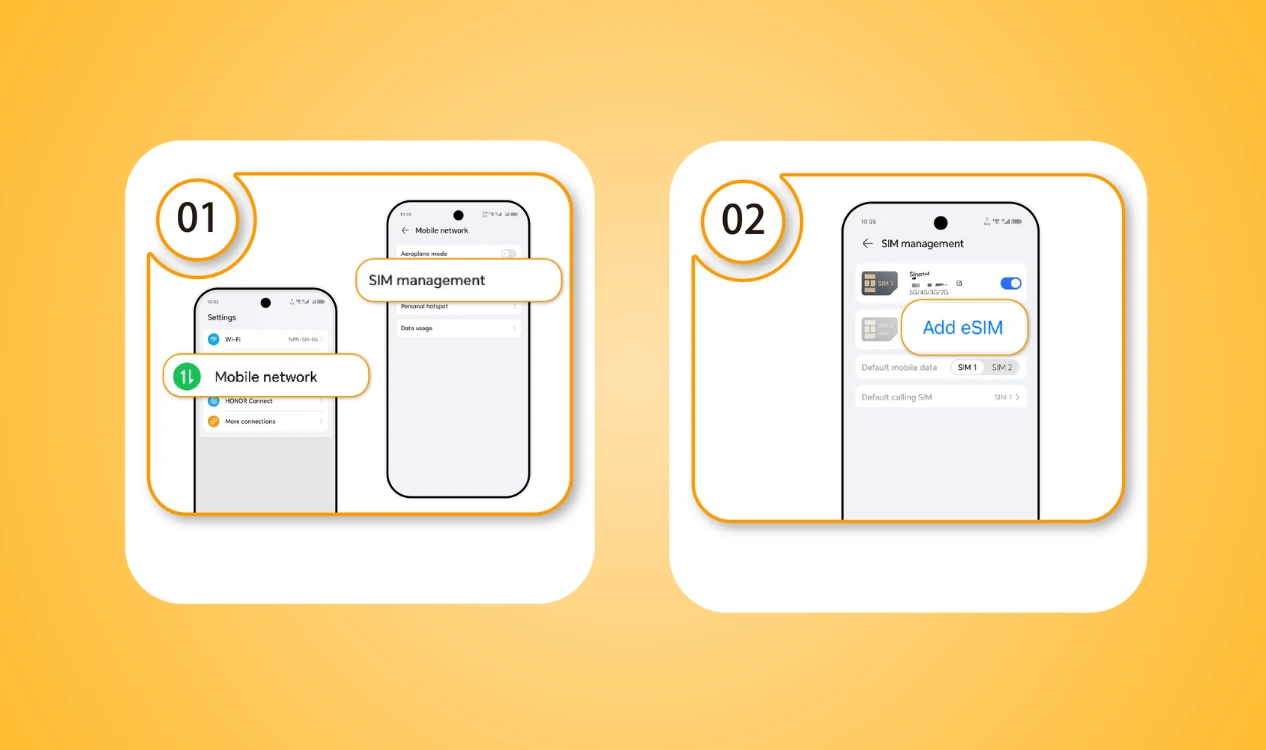
Once you’ve confirmed that your Android phone supports eSIM, using an eSIM is much more convenient. Learn how does eSIM work on android through the installation steps.
- Step 1: Go to Settings → Network & Internet / SIM Manager
- Step 2: Add eSIM
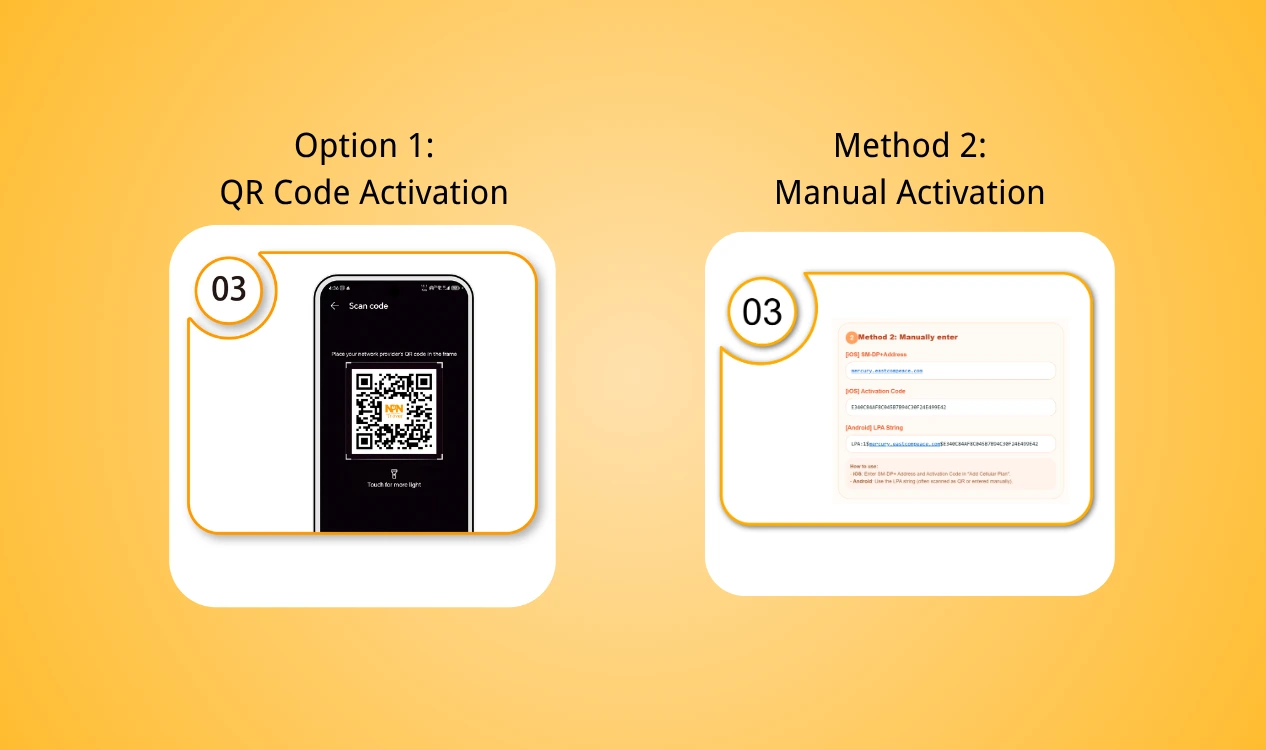
- Step 3: Activate your eSIM using either one:
- Option 1: QR Code Activation – Scan the QR code provided after purchase.
- Option 2: Manual Activation – Enter the activation information manually.
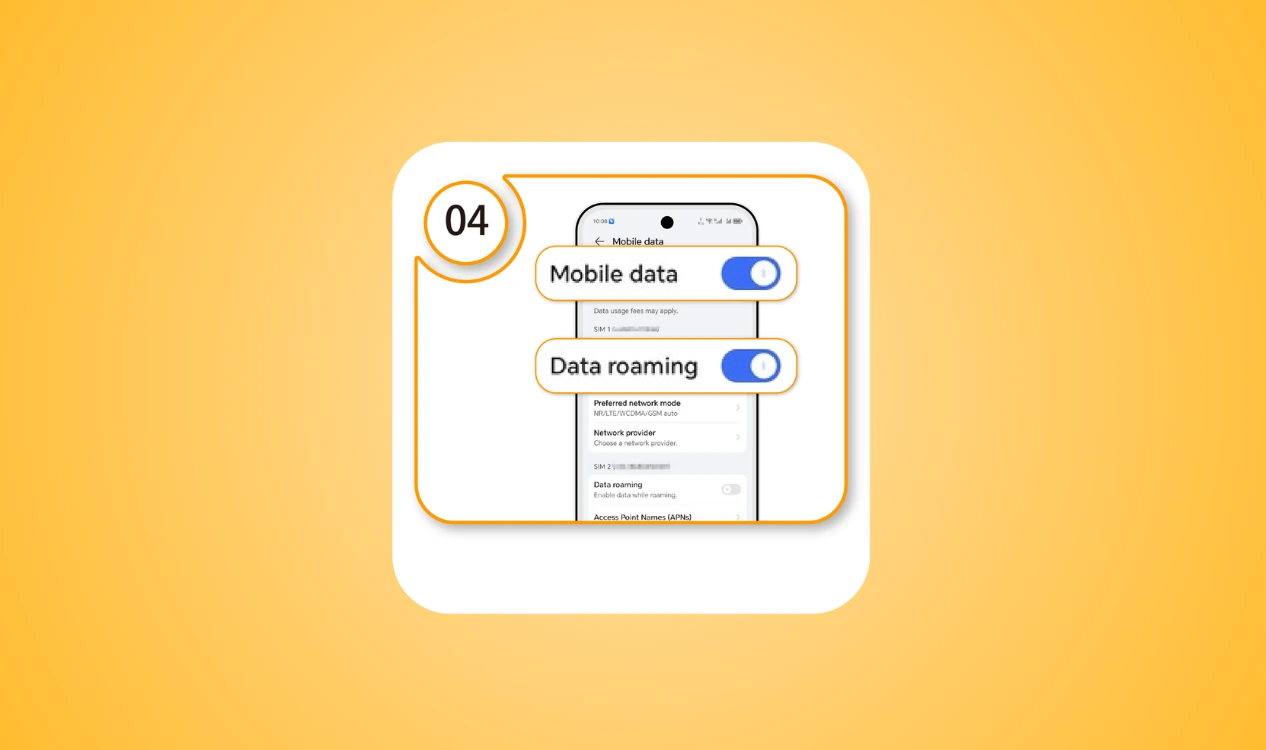
- Step 4: Enable your mobile data and data roaming are on
How to Buy eSIM for Android Phones?
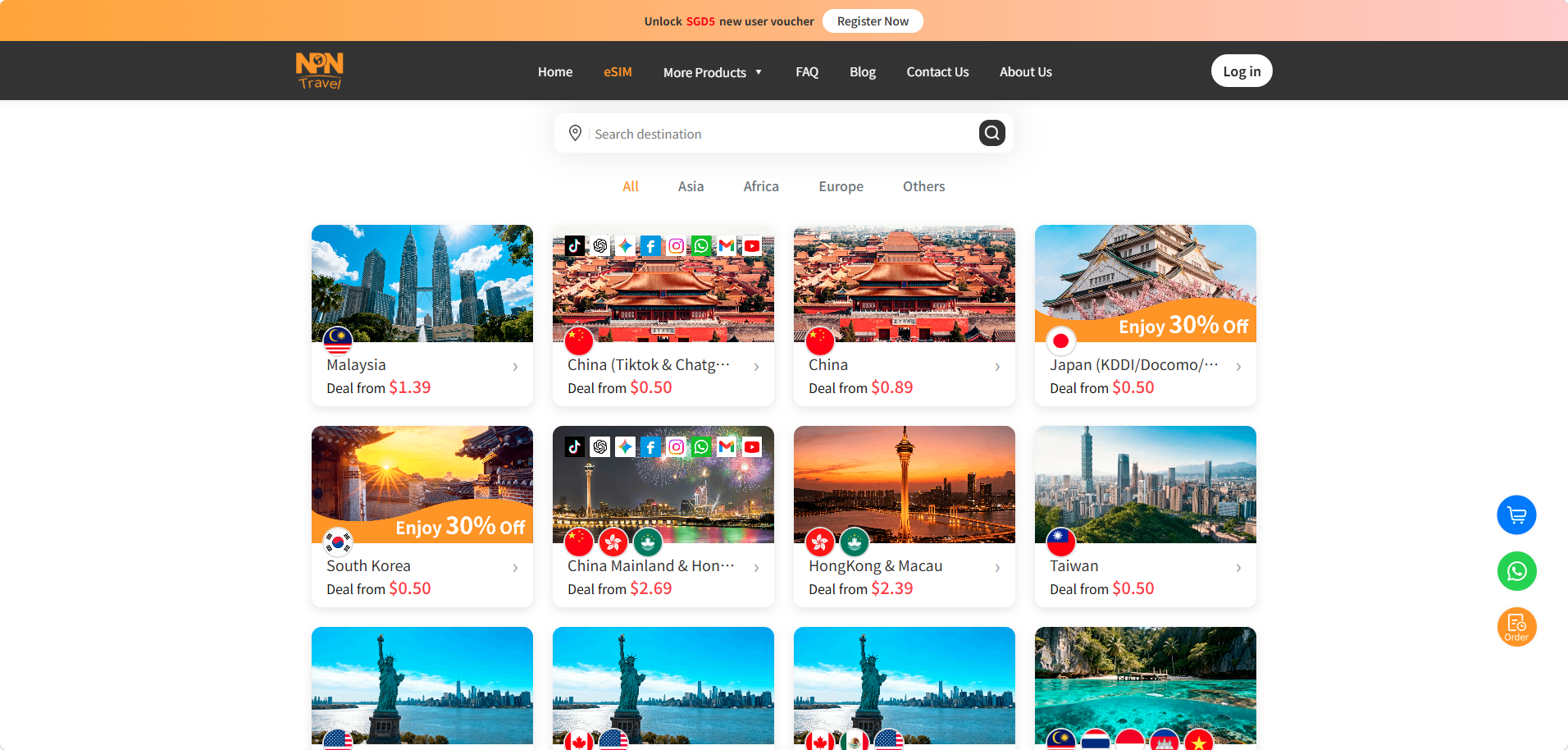
For travel eSIM, you can sincerely choose the right plan based on your destination, data needs, coverage and validity from a reliable provider. NPN Travel eSIM provides eSIM for Android device which can meet all your needs.
- 200+ destinations with data plans tailored to different needs
- Easy and Instant to go with just a few click
- Hassle free and cost effective data plans
- 24/7 customers support
Conclusion
Check if the phones are eSIM Android phones before starting your journey to ensure your connection. If you have an Android phone with eSIM, you can easily install a travel eSIM to enjoy a more flexible and convenient trip. Choose a suitable plan from NPN Travel eSIM, you can stay connected and avoid exorbitant roaming fees.