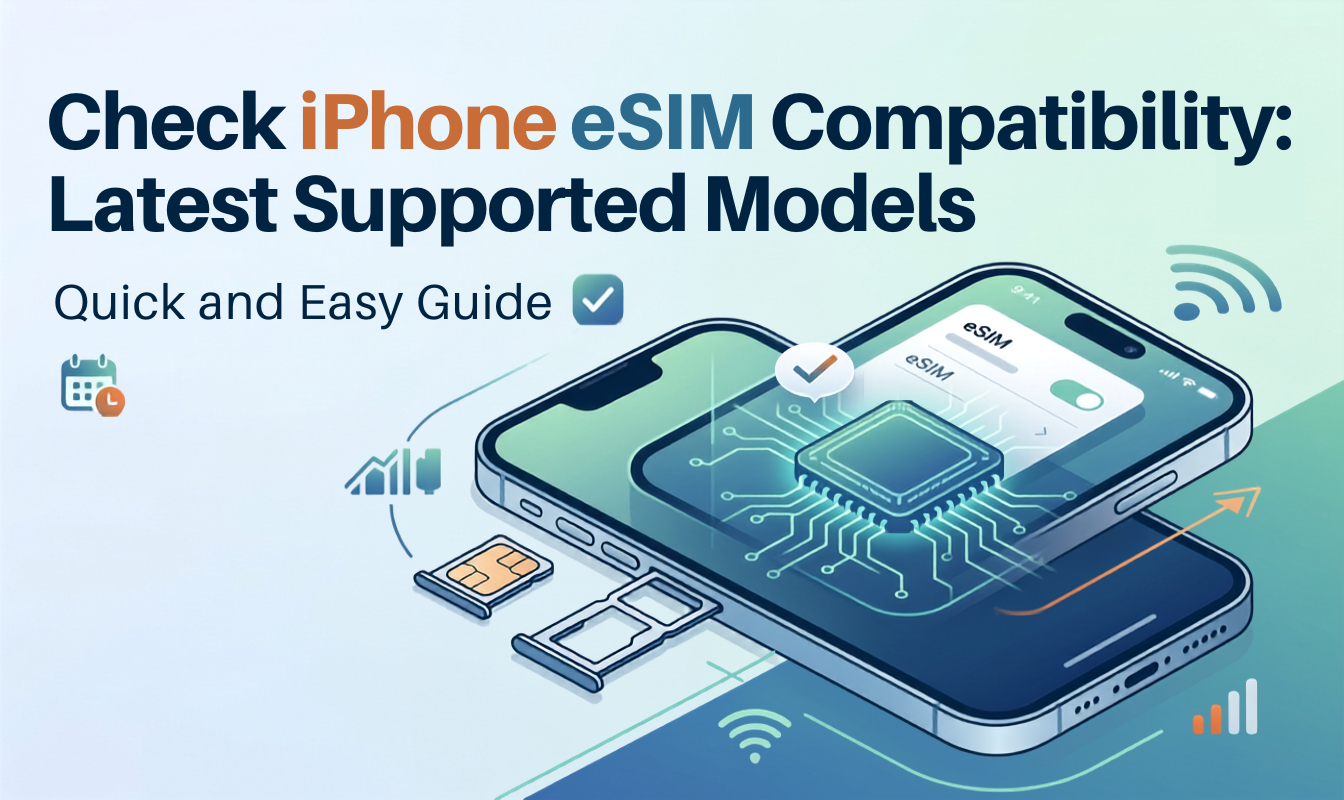
Check iPhone eSIM Compatibility: Latest 2026 Supported Models



Not sure whether your iPhone has eSIM? Checking iPhone eSIM compatibility is an important first step before purchasing a travel eSIM. In 2026, most newer models support iPhone with eSIM. However, eSIM availability can vary depending on the model, country or region where it was purchased and your mobile carrier.
In this guide, we will walk through all iPhone models that support eSIM, and learn how to check if phone is eSIM compatible iPhone.
- Does iPhone Have eSIM?
- Which iPhones Support eSIM?
- How to Check If Phone Is eSIM Compatible iPhone?
- How Does eSIM Work on iPhone?
- Why Is eSIM Not Compatible with This iPhone?
Does iPhone Have eSIM?
Quick answer: Yes, but not every iPhone model or regional variant supports it.
Apple used to introduce eSIM compatible iPhones from iPhone XS series in 2018. Since then, most newer iPhone models have supported eSIM.
However, depending on country or region matters, models are sold in mainland China, Hong Kong, Macao and the States. Before buying an eSIM, check which iPhone have eSIM and its region variant to make sure eSIM is available. We will go through them below.
Which iPhones Support eSIM?
Check iPhone that supports eSIM with this list:
- iPhone 17 Pro Max
- iPhone 17 Pro
- iPhone 17 Air
- iPhone 17
- iPhone 16e
- iPhone 16 Pro Max
- iPhone 16 Pro
- iPhone 16 Plus
- iPhone 16
- iPhone 15 Pro Max
- iPhone 15 Pro
- iPhone 15
- iPhone 14 Pro Max
- iPhone 14 Pro
- iPhone 14 Plus
- iPhone 14
- iPhone SE 3 (2022)
- iPhone 13 Pro Max
- iPhone 13 Pro
- iPhone 13 Mini
- iPhone 13
- iPhone 12 Pro Max
- iPhone 12 Pro
- iPhone 12 Mini
- iPhone 12
- iPhone SE 2 (2020)
- iPhone 11 Pro Max
- iPhone 11 Pro
- iPhone 11
- iPhone XS Max
- iPhone XS
- iPhone XR
eSIM NOT compatible with this iPhone model:
- iPhone X
- iPhone 8 and 8 Plus
- iPhone 7 and 7 Plus
- iPhone 6s and 6s Plus
- iPhone 6 and 6 Plus
- iPhone SE (1st generation)
- iPhone 5s, 5c, 5, and earlier
Some models sold in specific regions may issue with eSIM not compatible with this iPhone. Please check the following models with particularity:
- Mainland China: Only iPhone 17e (A3635) and iPhone Air (A3518) currently support eSIM with mainland Chinese carriers.
- Hong Kong & Macao: eSIM support varies by model. Some models use Dual SIM with two physical nano-SIM cards.
- iPhone eSIM only: In the US, newer iPhones such as the iPhone 14 and later are commonly eSIM-only, without a physical SIM tray.
How to Check If Phone Is eSIM Compatible iPhone?
As there may be a variety between the same models, you can simply check iPhone with eSIM in a quick way.
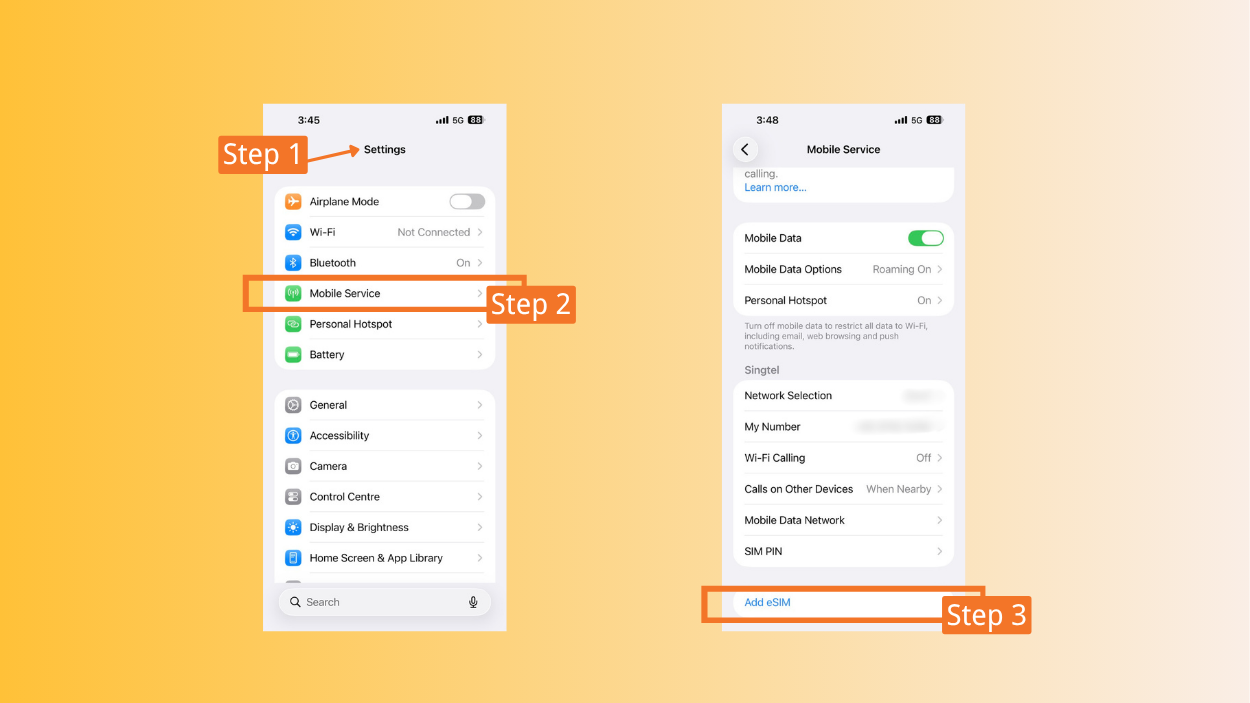
Method 1: Check in Your Phone Setting
- Step 1: Open Settings
- Step 2: Tap Mobile Service → Cellular / Mobile Network
- Step 3: If you’ve seen the “Add eSIM” option, your phone should be an eSIM compatibility iPhone.
Method 2: Dial a Code
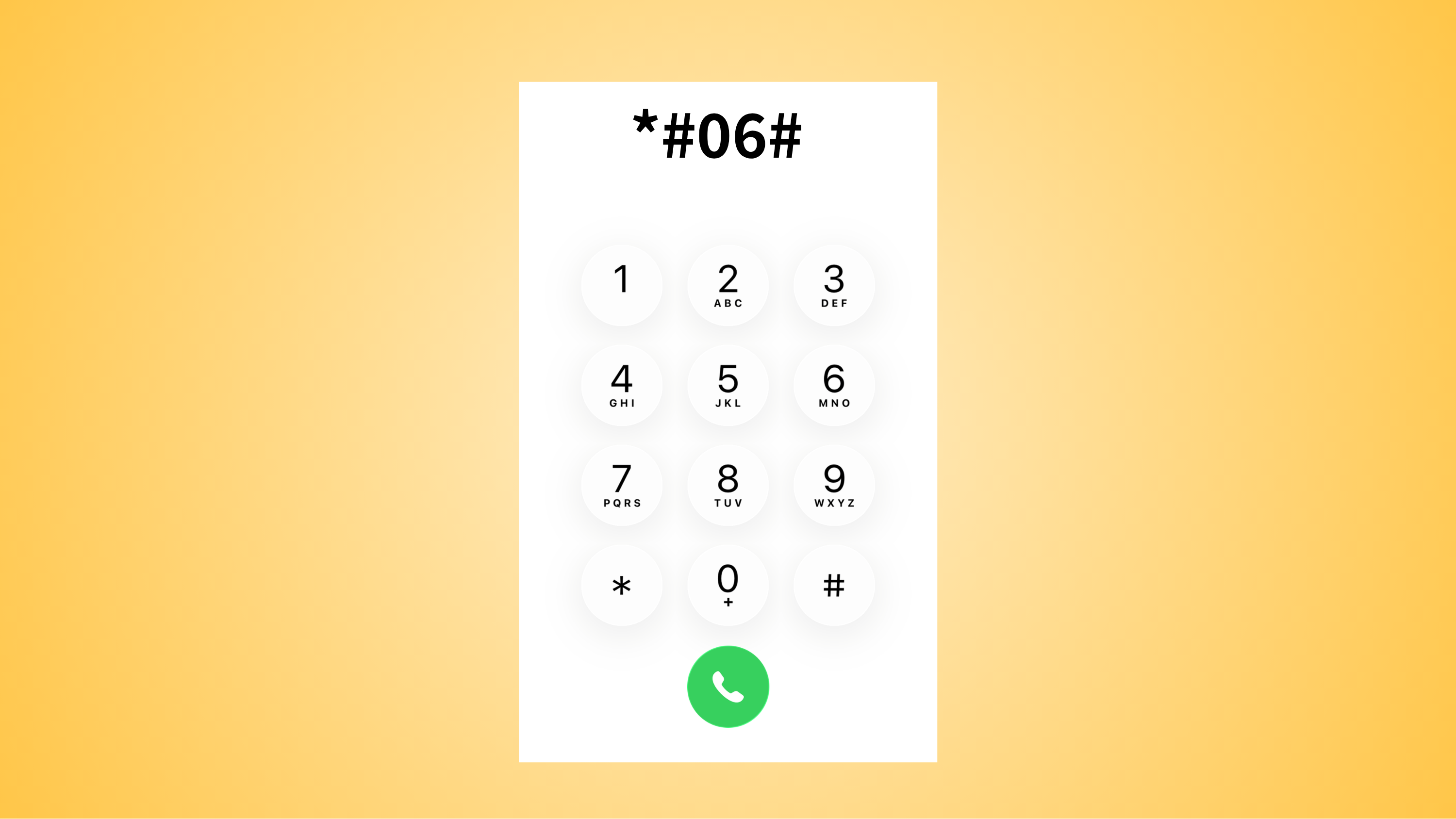
- Step 1: Open the “Phone” App
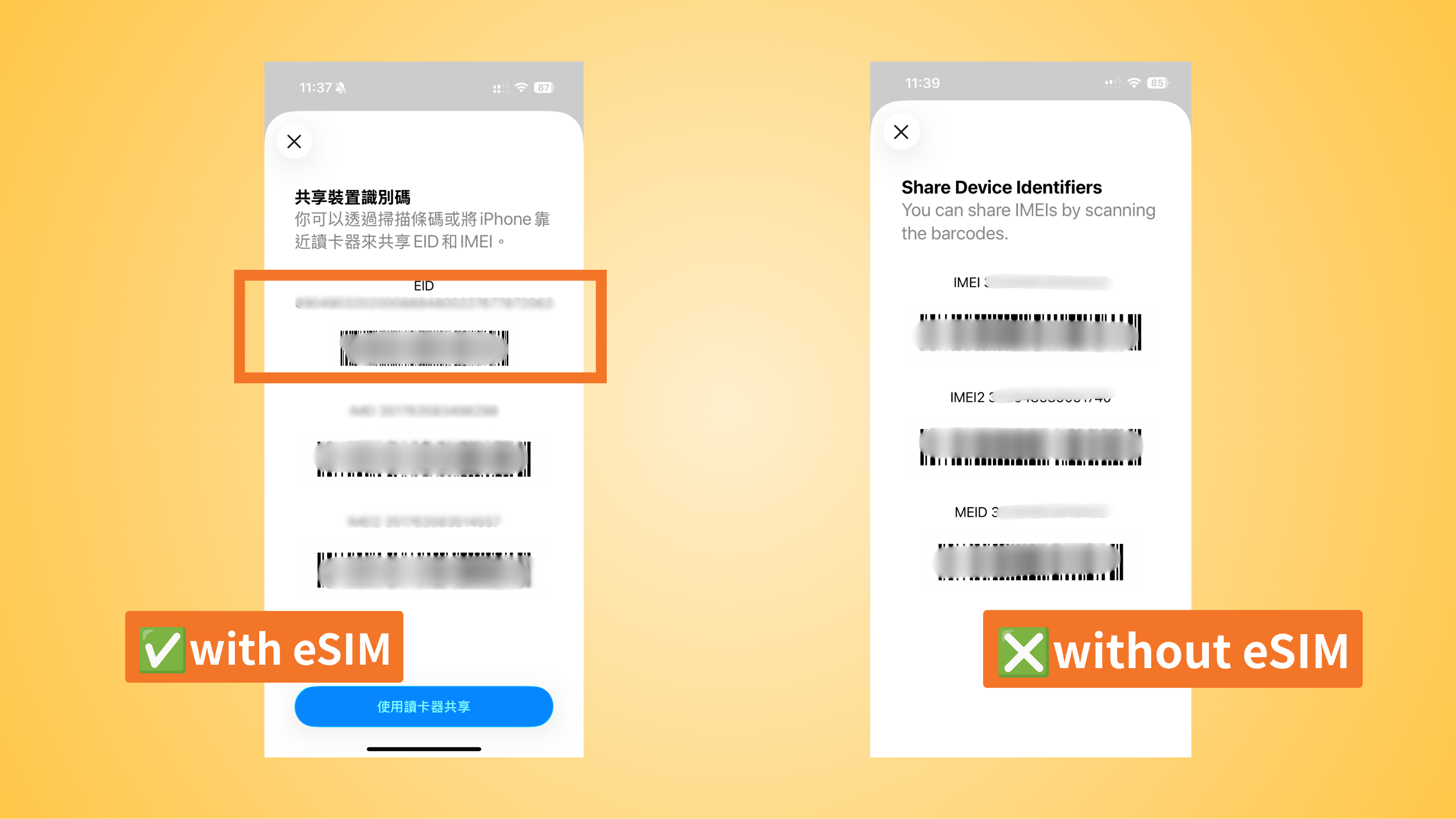
- Step 2: Enter
*#06#in the Keypad - Step 3: EID code will be shown in iPhone that supports eSIM
Method 3: Check Model Number
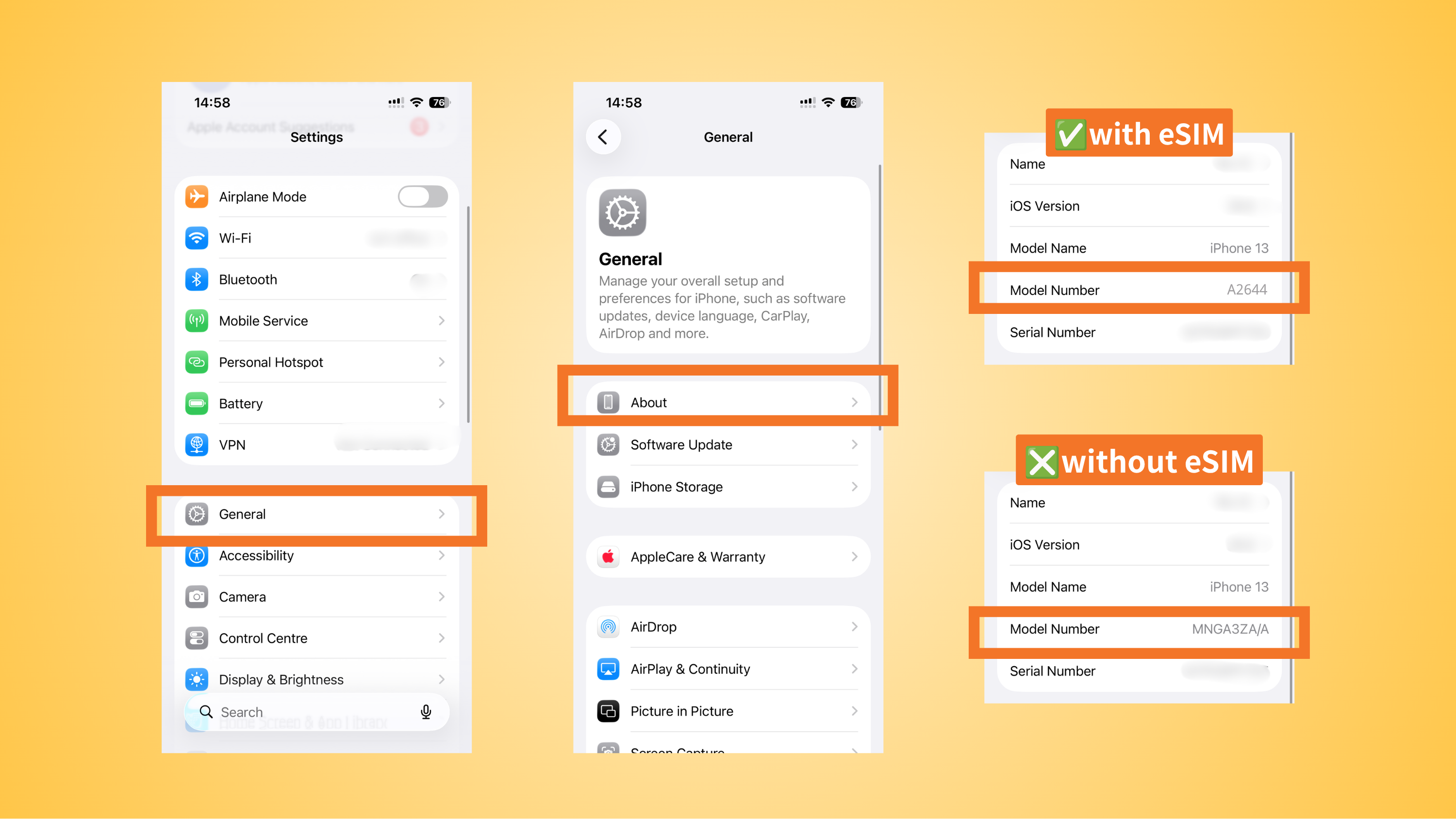
- Step 1: Go to Setting → Tap “General”
- Step 2: Click “About”
- Step 3: Check your model number. If it is starting with “A”, Your iPhone eSIM support.
How Does eSIM Work on iPhone?
An embedded SIM is a digital SIM built directly into your iPhone. eSIM compatible iPhones allow downloading and activating data plans digitally. Choose an eSIM data plan from a reliable provider and install through the step below:
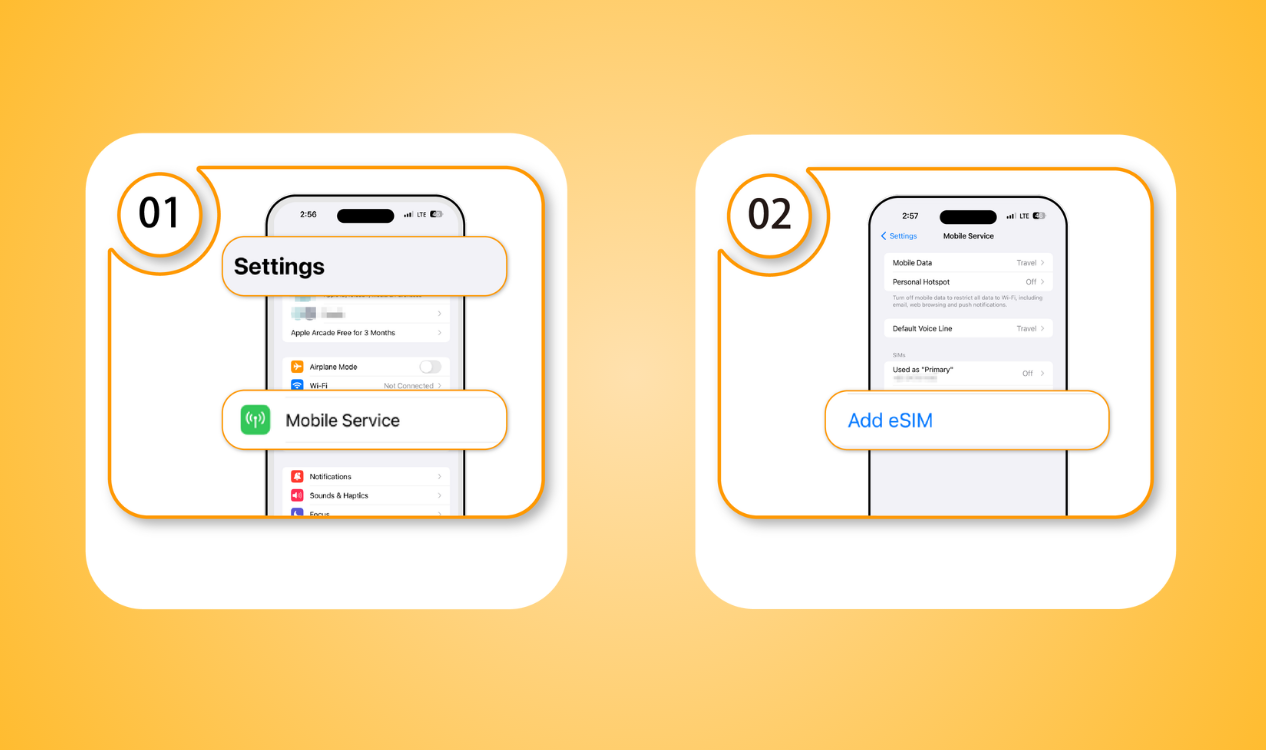
- Step 1: Go to Settings → Mobile Data
- Step 2: Add eSIM
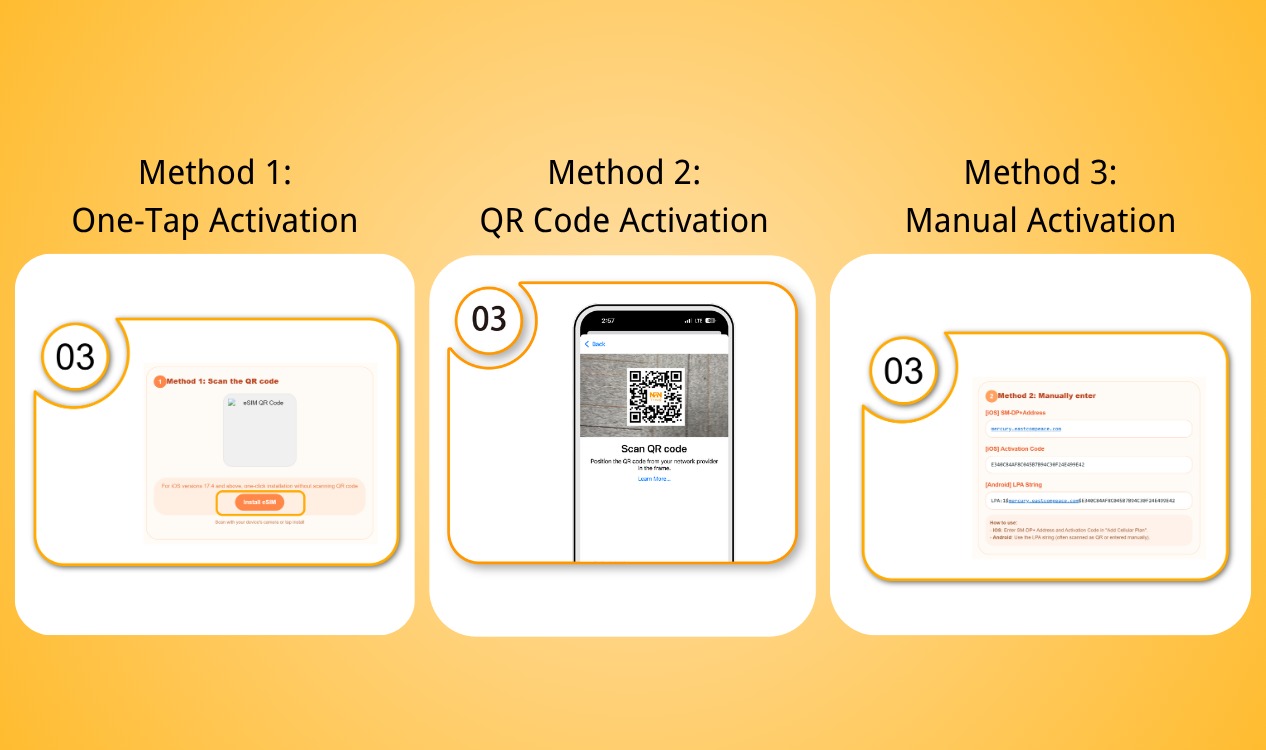
- Step 3: Activate your eSIM using one of the following methods:
- Option 1: One-Tap Activation – Follow the activation link provided after purchase.
- Option 2: QR Code Activation – Scan the QR code supplied with your eSIM package.
- Option 3: Manual Activation – Enter the activation details manually if required.
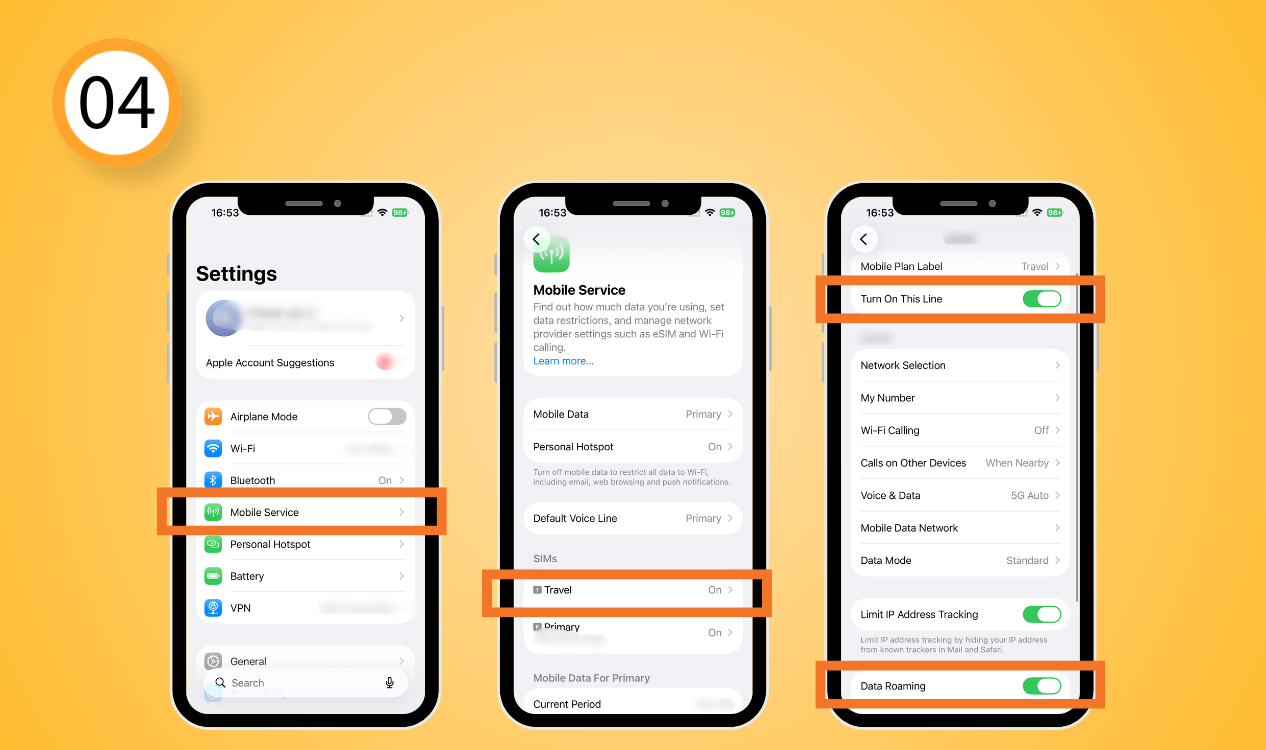
- Step 4: Open Mobile data and Data Roaming
Why Is eSIM Not Compatible with This iPhone?
If you cannot add an eSIM, there are several possible reasons instead of checking iPhone eSIM compatibility by model. Here are the common reasons that your iPhone cannot use an eSIM:
iPhone software is outdated
Keep your iOS version updated to achieve the eSIM service. Install the latest available iOS update for your service: Settings → General → Software Update.

Carrier-locked iPhone
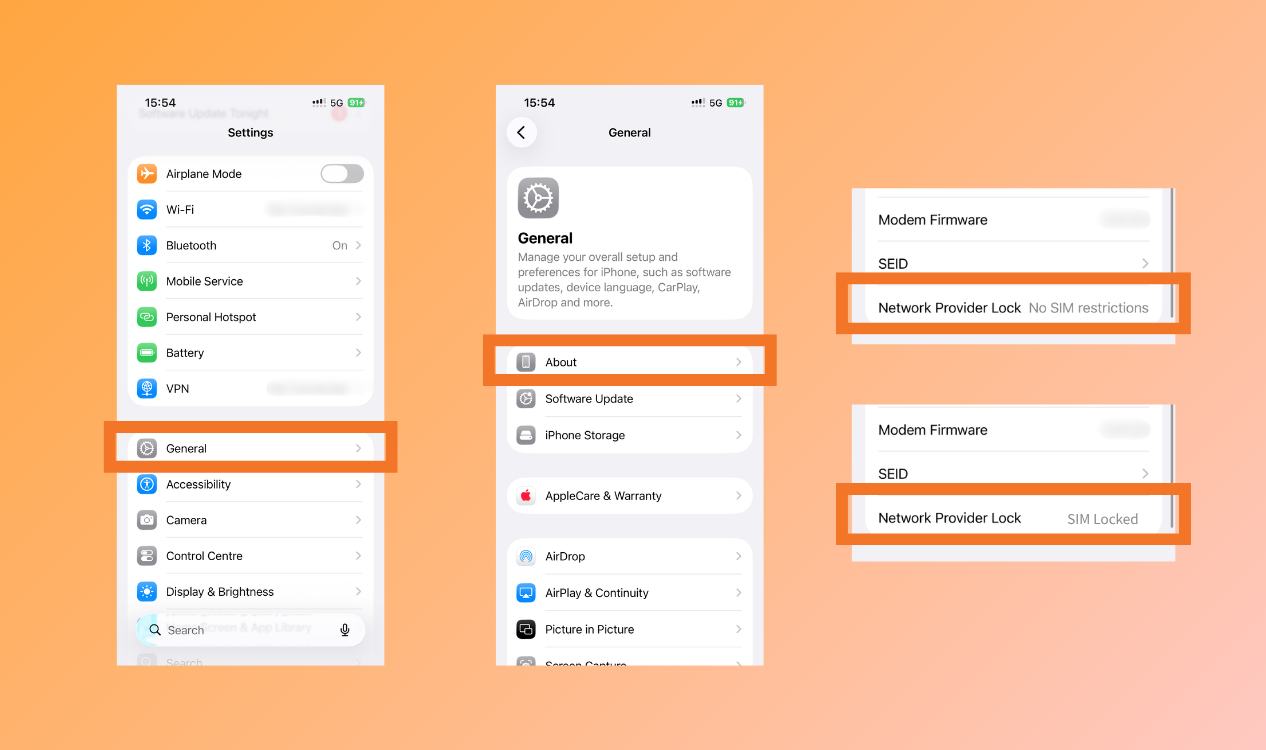
If your iPhone is purchased through a specific carrier with a contract or subsidized, may not accept eSIMs from other providers. Is my phone eSIM compatible iPhone without carrier lock? Check through the steps: General → About → Network Provider Lock.
eSIM activate improperly
Please ensure a stable internet connection during the activation process. Server issues or network interruptions may cause the eSIM compatible iPhones installation to fail. Instead, please check that the activation code is correct to activate the eSIM profile to avoid issues caused by input errors.
To reduce connection problems, travel with NPN Travel eSIM:
- Easy activation with One-Tap link to avoid typo error during eSIM installation
- High eSIM connection success rate
- Compatible with a variety of iPhones that supports eSIM
- 200+ destinations for travellers
- 24/7 customers service, contact whenever you need
Conclusion
iPhone generally support eSIM, but may vary depending on the model, region, carrier, and device settings. Checking your iPhone eSIM compatibility before purchasing a travel eSIM to avoid installation and connection issues. If you have an iPhone with eSIM, choosing a reliable eSIM provider can make your travel experience even easier. NPN Travel eSIM is always here for you to stay connected with confidence wherever you travel.