

How to Activate eSIM on Android?



Using an eSIM on Android can be a convenient way to stay connected while traveling or switching mobile plans. However, the setup process may vary slightly depending on your phone model and carrier.
In this guide, I’ll explain what to prepare, how to activate eSIM on android, and what to check if you want to get connected smoothly.
- Prerequisites for Installing eSIM Android
- How to Install eSIM on Android?
- Best eSIM for Android - NPN Travel
Prerequisites for Installing eSIM Android
Before you activate an eSIM for Android phone, make sure your device and eSIM plan meet the following requirements:
- Check eSIM compatibility: Not every Android phone supports eSIM. Check your phone model and regional specifications before purchasing an eSIM.
- Make sure your phone is unlocked: A carrier-locked phone may restrict you from using an eSIM from another provider. Learn more about carrier-lock and how to unlock it.
- Have a stable internet connection: You must need a Wi-Fi or an existing mobile connection to download the eSIM profile.
- Check your Android version: Please ensure your phone has already updated to the latest version to avoid issues during add eSIM to Android.
- Keep your eSIM details nearby: You may need the activation code, manual active information and APN details. For NPN Travel eSIM, all the information will be sent with the email after purchase.
- Keep your phone charged: Avoid starting the installation when your battery is very low, especially if you are setting up an eSIM on Android before a trip.
How to Install eSIM on Android?
The exact steps and menu may differ depending on your Android phone model. However, most Android devices follow a similar process. Learn how to activate eSIM on Samsung as an example.
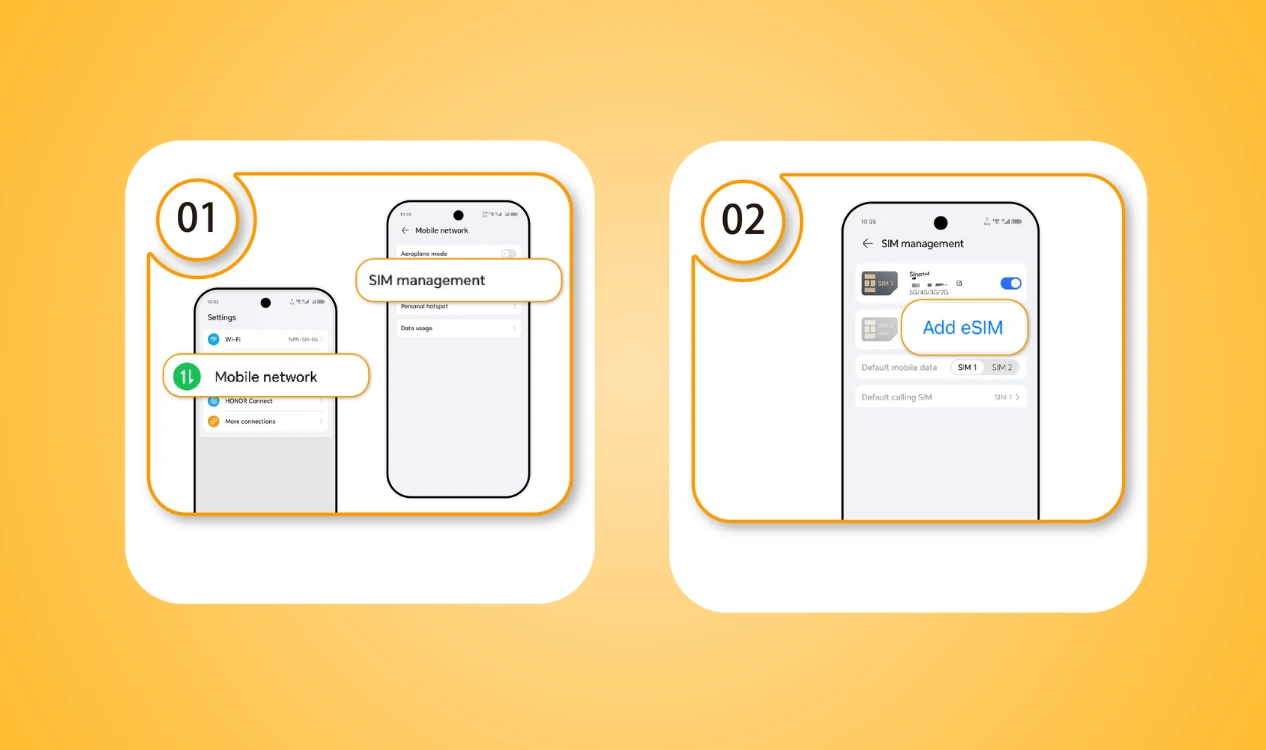
- Step 1: Open Settings → Tap Connections → Go to SIM Manager
- Step 2: Tap Add an eSIM
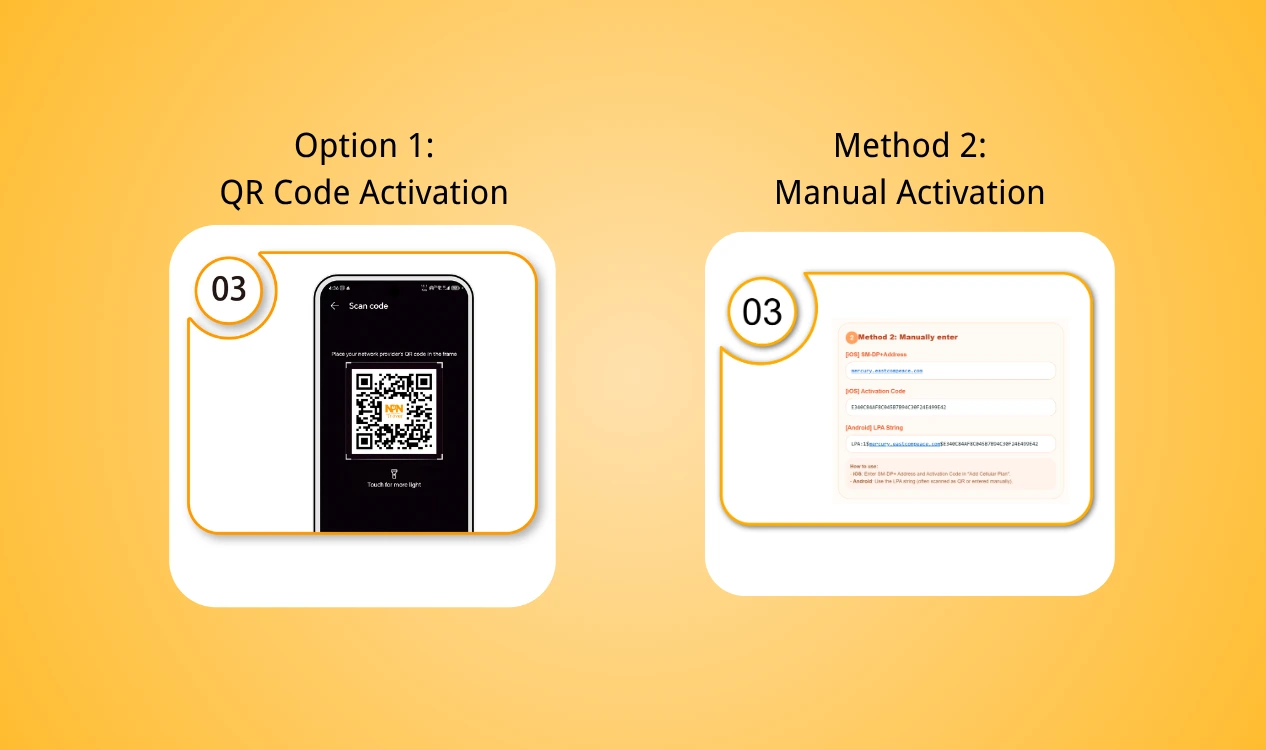
- Step 3: Install the eSIM for Android by scanning the QR code or type in the address manually
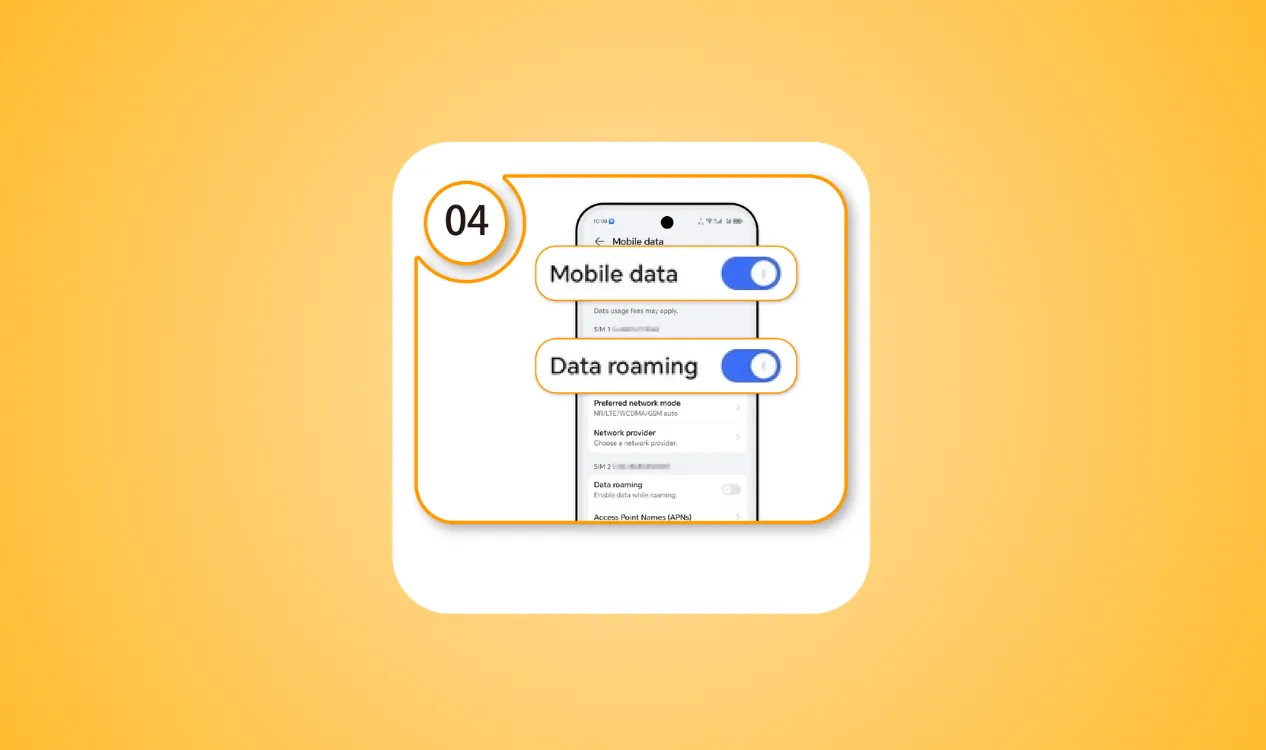
- Step 4: Enable your eSIM Android and turn on Data Roaming
Best eSIM for Android - NPN Travel
Looking for a convenient eSIM Android while traveling? NPN Travel offers travel eSIM plans that work with compatible Android devices, so you can stay connected without removing your physical SIM card.
Summary of key advatages from the NPN Travel eSIM review:
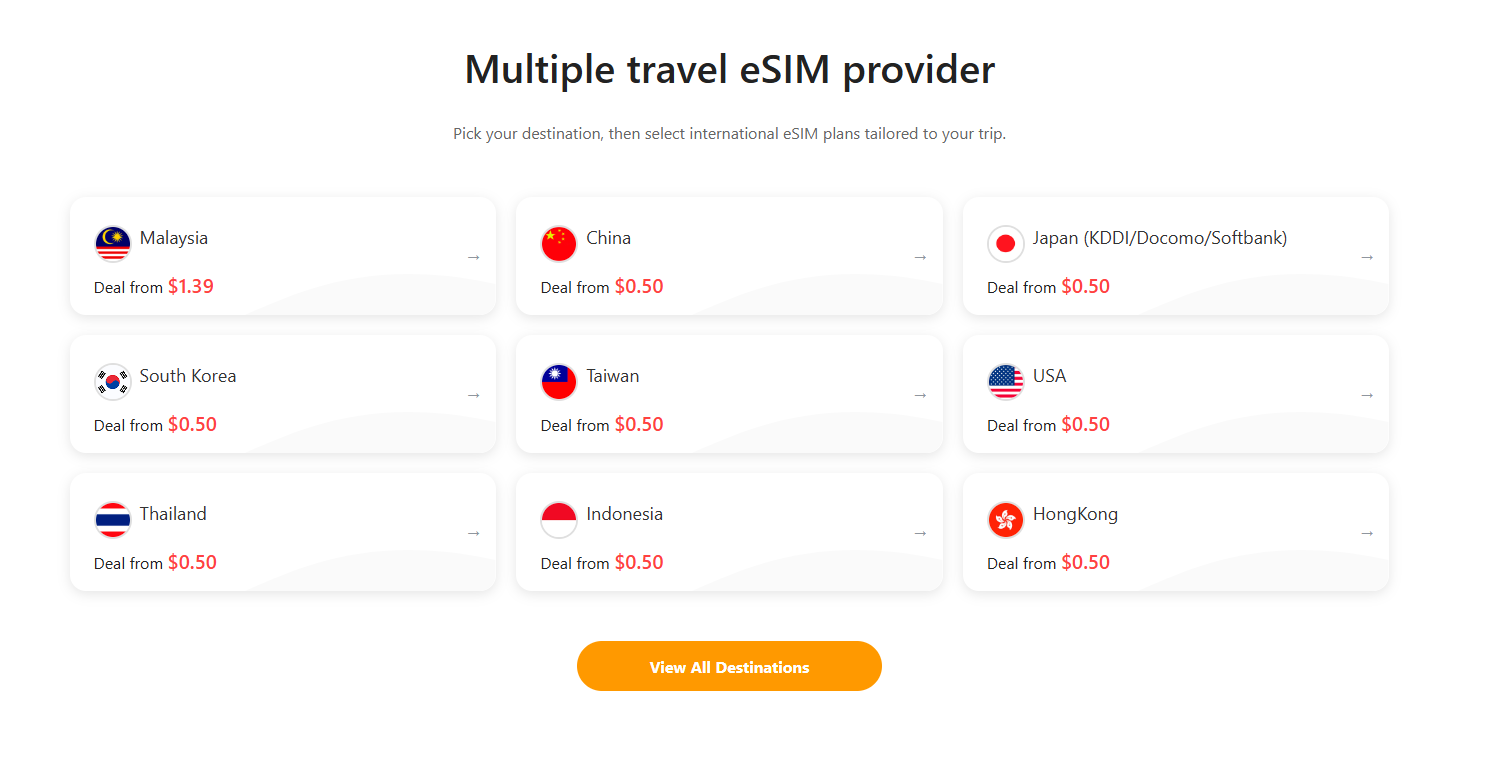
- Wide range of 200+ countries and regions to choose for your next trip
- Easy setup eSIM for Android phone
- Enjoy 5G local data
- No speed limits, no disconnections
- Purchase and receive your eSIM fully digital
- 24-hour real-human customer service
Final Thought
To conclude, ensuring your phone compatibility and preparing a stable internet is important before installation. Then, follow the installation steps and learn how to activate eSIM on Android. If your eSIM Android is not working, you can try to solve it with some simple check.
For travelers, NPN Travel can be a convenient choice to get mobile data without purchasing or replacing a physical SIM card.


